






dragonflies
Member
-
Joined
-
Last visited
Everything posted by dragonflies
-
-
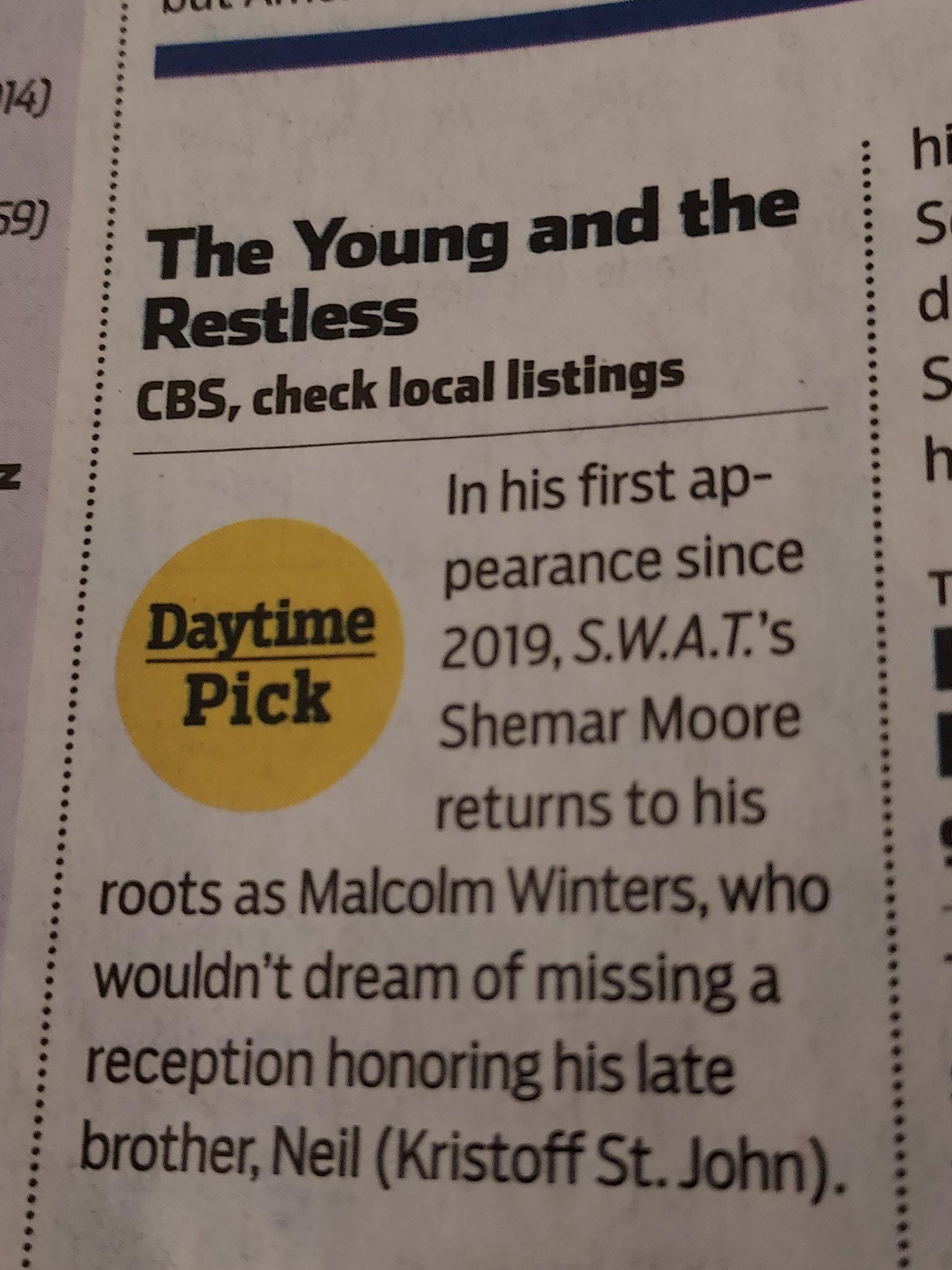
The whole month of April for BOLD was a miserable flop LOL, yeah with Hope, Brooke & Liam leading I can see why lol Yay I'm glad HH's are backahhh I had forgotten thatbut not as his Beyond Salem character Peter Porte has joined Days of Our Lives. The actor who played an agent called Kyle Graham on Beyond Salem chapter one will make his debut on the Peacock soap opera as Dimitri Von Leuschner on May 8, 2023. He will make his debut in scenes with Lauren Koslow's Kate Roberts.LMAO4 celebrities to prop up Deacon's pizza hut story and it's still a flop loland chewing the scenery like no one's business too 🙃☠️GH operates like a real tv show? Maybe lol, but why even recast if LA was able to do the roleThey are, they're the only ones who fit that billYes I'm over Sheila, she's beyond one note. Keep Ted, he's FIRE! I'd sacrifice all the Spencer boys for Jack and Li to be onscreen more Man today was a BORE. why would anyone care about Deacon perfecting his pizza recipe??From TV GUIDE for Monday, May 8th
 So not actual classics *smdh* and the soaps channel on Pluto is basically the YR channel, BOLD has been reduced to 3 hours a dayEden is liking stuff that makes me think her and Joss aren’t all that differentOMG Ron @Soapsuds😂Ted King is FOINE!!! He's what this show needs, forget Dollar Tree Bill and Lame ass tofu Spencer or Wyatt, Jack/Ted is what's needed 🥰There's no where that's said he's returning @Soapsuds KKL posted a pic on instagram where he visited the set but nothing confirmed Gah @Jeff It's Jack, Ted King is back!!It's either James or Jack but I'm leaning towards Jack because Li and Finn were talking about him out of the blue Thursday. Usually when they have character's do that it means that person will show up
Important Information
By using this site, you agree to our Terms of Use and Privacy Policy


Account
Navigation
Search
Configure browser push notifications
Chrome (Android)
- Tap the lock icon next to the address bar.
- Tap Permissions → Notifications.
- Adjust your preference.
Chrome (Desktop)
- Click the padlock icon in the address bar.
- Select Site settings.
- Find Notifications and adjust your preference.
Safari (iOS 16.4+)
- Ensure the site is installed via Add to Home Screen.
- Open Settings App → Notifications.
- Find your app name and adjust your preference.
Safari (macOS)
- Go to Safari → Preferences.
- Click the Websites tab.
- Select Notifications in the sidebar.
- Find this website and adjust your preference.
Edge (Android)
- Tap the lock icon next to the address bar.
- Tap Permissions.
- Find Notifications and adjust your preference.
Edge (Desktop)
- Click the padlock icon in the address bar.
- Click Permissions for this site.
- Find Notifications and adjust your preference.
Firefox (Android)
- Go to Settings → Site permissions.
- Tap Notifications.
- Find this site in the list and adjust your preference.
Firefox (Desktop)
- Open Firefox Settings.
- Search for Notifications.
- Find this site in the list and adjust your preference.