Faulkner
Member
-
Joined
Everything posted by Faulkner
-
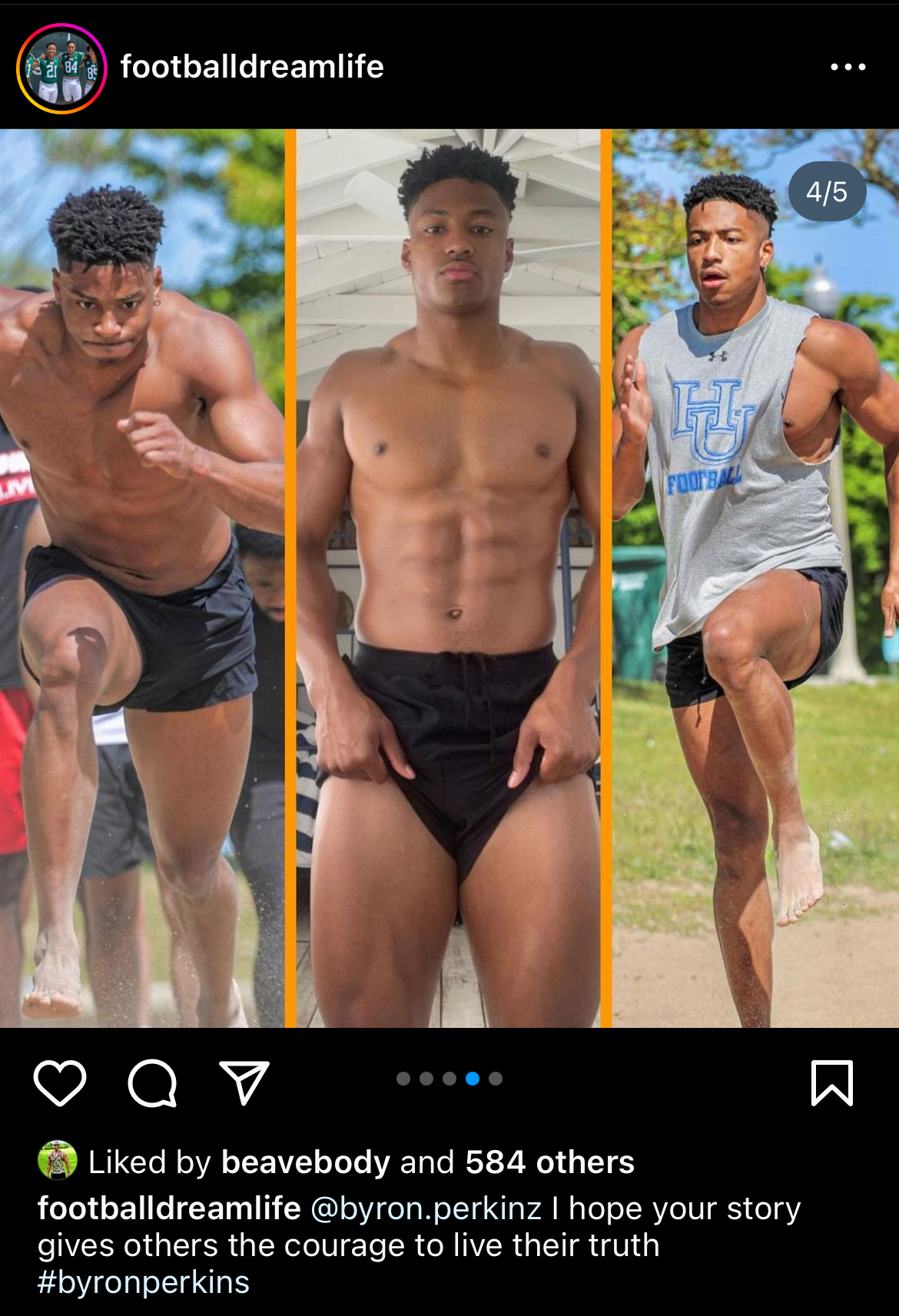
I’m very skeptical. Hopeful, yes. Excited by the sheer wildness of a new daytime soap even being considered in 2024. DAYS getting shunted off to Peacock seemed like it gave permission to the other networks to go soapless. Nothing about the state of GH, Y&R, or B&B would have given anyone confidence that networks were investing in the genre. (Y&R and B&B’s treatment of their Black characters has been uniformly half-assed if not offensive.) The proposed AMC revival had a dreadful pedigree and wasn’t even going to air in daytime. And the more we heard about it, the less promising it seemed. The soaps have been so lazy and stale for so long that these new developments (PM coming out of retirement to co-HW GH, The Gates) are a shock to the system. We haven’t had excitement surrounding the genre in MANY years. For the last five or six years, if soaps made the mainstream news, it was usually a story about the untimely tragic death of a soap icon. It was becoming depressing to even come to this board at times. All of a sudden, we have proof of life. We can certainly try and work our way back to identify signs that we either overlooked or underestimated. A few people like @Vee and @DramatistDreamer suggested that maybe the pandemic and the bursting of the SVOD streaming bubble could lead to a reinvestment in soaps. There does seem to be a return to the “comfort food” of the old monoculture. Pluto is basically the cable bundle reimagined. Even award shows are rebounding from their previous lows. The Super Bowl just had its biggest viewership numbers ever. There are some promising signs of life among broadcast and cable viewership numbers. That said, we’re still nowhere near where things were even 6-7 years ago before the bottom fell out. Technological advances aren’t going to stop. Daytime audiences are still literally dying off, and whole generations are growing up with a completely different concept of consumption. Streaming is great, but they still haven’t figured out how to make it comparably lucrative for anyone but the executives. We all know that CBS, like many of the major media companies, is constantly the subject of merger and acquisition rumors, which have only adds a new layer of uncertainty. I’m curious about the economics of launching a soap in 2024, even one owned by a network in partnership with a built-in sponsor like P&G. It’s expensive to do a soap well. What numbers would The Gates need to hit in terms of live viewing to be sustainable in this day and age? What will P&G be happy with?B&B’s international success doesn’t necessarily help CBS, although the show isn’t reliant on that license fee alone like so many “client-owned soaps,” as the dreaded Les Moonves once put it. The show feels cheap to me on the day-to-day, and the cast is tiny even by its half-hour standards, so obviously they are feeling some crunch. Granted, Brad could attempt to move his show exclusively to a streaming service if CBS canceled it. I would not cry if B&B (or any of the legacy series) got axed. I’ve already grieved Y&R’s loss even though it’s still airing, feel no connection to whatever DAYS has evolved into over the past 25 years, and while I’m hopeful that Patrick Mulcahey can make a positive impact at GH, I’m not exactly betting on it. I just hope this news might light a fire under Bradley Bell’s ass, but, knowing him, he’ll receive the *wrong* lesson from it, leaning into more nonsensical stunts for ratings instead of aiming for higher-quality, long-term storytelling and allowing an actual writer to take the creative reins.Trying on wetsuits:Robin Thicke is going to meet Prakash in the parking lot.Black viewers have been among the most loyal to these legacy TV networks, even when we rarely see our faces on screen (or seen them treated in the half-ass way that Y&R and B&B do), so it all makes sense. Negativity creeps in for me when I think of how this has worked out for us in the past. The commitment is never there, and as soon as a shiny object pops up, the black programs are discarded. It might be different now that the whole industry is facing an existential crisis, but it’s somewhat sad that we had to get here for a soap like this to emerge. My hope is that they pay their actors and crew competitive wages. I’m curious about how large the canvas will be.Lord, they have no clue what to do with Phyllis.An inspiring story from 2023 of an out college football player: Who also looks like this:
 If you took film theory classes, you know David Bordwell’s work well. R.I.P.Marci Miller can project JMB’s toughness without the smugness. I was really impressed with her when they decided to give Abby a backbone.Rublev got DQ’d from his semi in Dubai semi against Bublik for screaming in a line official’s face:
Important Information
By using this site, you agree to our Terms of Use and Privacy Policy

Account
Navigation
Search
Configure browser push notifications
Chrome (Android)
- Tap the lock icon next to the address bar.
- Tap Permissions → Notifications.
- Adjust your preference.
Chrome (Desktop)
- Click the padlock icon in the address bar.
- Select Site settings.
- Find Notifications and adjust your preference.
Safari (iOS 16.4+)
- Ensure the site is installed via Add to Home Screen.
- Open Settings App → Notifications.
- Find your app name and adjust your preference.
Safari (macOS)
- Go to Safari → Preferences.
- Click the Websites tab.
- Select Notifications in the sidebar.
- Find this website and adjust your preference.
Edge (Android)
- Tap the lock icon next to the address bar.
- Tap Permissions.
- Find Notifications and adjust your preference.
Edge (Desktop)
- Click the padlock icon in the address bar.
- Click Permissions for this site.
- Find Notifications and adjust your preference.
Firefox (Android)
- Go to Settings → Site permissions.
- Tap Notifications.
- Find this site in the list and adjust your preference.
Firefox (Desktop)
- Open Firefox Settings.
- Search for Notifications.
- Find this site in the list and adjust your preference.