





I Am A Swede
Member
-
Joined
-
Last visited
Everything posted by I Am A Swede
-
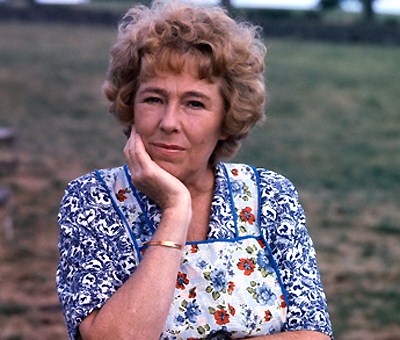
Yes, I just watched the In Memoriam montage on Youtube, and I'm bitterly disappointed that Sheila didn't get more attention. There should have been a scene with her, just like there were for Paula Tilbrook, Barbara Windsor, Johnny Briggs and June Brown. That oversight made me both andIt's interesting to see that Emmerdale won 3 of the 4 awards voted on by the viewers, but only 1 of the 8 awards voted on by a panel of "experts"......Congratulations to them!! But.....
 Maybe they should stop trying to make everything a shocking surprise and instead focus on giving more attention to how the characters react to these big events. Maybe it's only me but I would get just as much pleasure (if perhaps not even more) out of watching everyone react to something like Abby's murder, and even watching everything leading up to it knowing that it's about to happen. Watching the human drama, instead of just wafer-thin characters playing out storylines without any depth. But the soaps now jump from plotpoint to plotpoint without bothering to write proper build-up and/or aftermath.I don't understand why everyone was so upset about Noah going to prison for his stalking. I thought that was like a rite of passage for the Dingles and that Charity would be proud of her son for carrying on the family tradition.And it's no surprise who's hired him.... Marjorie Taylor Greene must be one of the most vile creatures on earth. (I refuse to call her a human being).Good writing! That would really shock me.I don't get it. The songs sound nothing like each other. So why are they suing? Because they share the same title? If that's actually the case I can't see them have any leg to stand on. You surely can't copyright a title. If that was the case then we would see a whole lot of court cases.....For me the most iconic soap matriarch has always been, and probably always will be, Annie Sugden from Emmerdale Farm. And just like Bert Bauer, who was mentioned in an earlier post, we saw a gradual development of Annie's character during her 22 years on the show. She started out as a no-nonsense, tough, terse woman. Hardened by years of struggle on the farm, with an alcoholic husband who spent most of his time in the pub with his friends. She was the head of the household, and everyone knew it. But over the years we saw her gradually mellow somewhat and allow a warmer, humorous side to shine through. Her friendship with Henry Wilks played a major part in that I think. That being said, she never lost her inner core. Throughout the years she remained the backbone of not only the Sugden family, but of the entire show. Always there to support her family and friends when they needed her, yet at the same time never afraid to let them know when she was displeased with their behaviour. She suffered more losses than most I think, losing her father, all her three children, three biological grandchildren, two step-grandchildren, two husbands (if you count her first with whose funeral the show began) two daughters-in-law and her best friend. Even though she's been gone from the show for almost thirty years, except a few brief visits, to me she remains the very symbol of Emmerdale Farm. She epitomizes the first 20+ years of the show (its golden era) and will always be its most iconic character.
 His win also means that Rafael Nadal now is tied with Steffi Graf in 3rd place on the all-time list with 22 GS singles titles. Could he be the one that finally topples Margaret Court from her top position on that list? It's looking increasingly unlikely that Serena Williams will be able to do that.How annoying to have missed this..... June 1st, just a few days ago, marked the 50th anniversary of the release of People Need Love, the very first single from ABBA. (Although they weren't called ABBA at the time).
Important Information
By using this site, you agree to our Terms of Use and Privacy Policy

Account
Navigation
Search
Configure browser push notifications
Chrome (Android)
- Tap the lock icon next to the address bar.
- Tap Permissions → Notifications.
- Adjust your preference.
Chrome (Desktop)
- Click the padlock icon in the address bar.
- Select Site settings.
- Find Notifications and adjust your preference.
Safari (iOS 16.4+)
- Ensure the site is installed via Add to Home Screen.
- Open Settings App → Notifications.
- Find your app name and adjust your preference.
Safari (macOS)
- Go to Safari → Preferences.
- Click the Websites tab.
- Select Notifications in the sidebar.
- Find this website and adjust your preference.
Edge (Android)
- Tap the lock icon next to the address bar.
- Tap Permissions.
- Find Notifications and adjust your preference.
Edge (Desktop)
- Click the padlock icon in the address bar.
- Click Permissions for this site.
- Find Notifications and adjust your preference.
Firefox (Android)
- Go to Settings → Site permissions.
- Tap Notifications.
- Find this site in the list and adjust your preference.
Firefox (Desktop)
- Open Firefox Settings.
- Search for Notifications.
- Find this site in the list and adjust your preference.

