





Maxim
Member
-
Joined
-
Yes. I think this is definitely a return to the early HT Katie. Stephanie KNEW she was DIFFERENT from the hoe sisters. She said it to her many times. What they did with her character in the last 10-15 years was absurd - they wrote her into corners and portrayed her as a pathetic victim, constantly dying and fainting. Just the last 6 months, Katie has had more character growth than in all the previous years combined. Finally, they gave her ambition and determination (and not just for 2 weeks)... and FINALLY, she reacted to her sister like a SANE person would. I would cringe ASF at the lovey-dovey sister scenes between the three Logan women past the 2012-2013 stallion scandal. I mean... Brooke slept with her sick sister's husband while they had a newborn baby. Can you imagine anything more vile than that? Nobody SANE would talk to a person like this after that unless they were a hardcore masochist and wanted to suffer. They were not only talking to her, but praising her and tending to her at events, wedding... etc. All this leveled Katie down to the same level the bimbo Donna - no critical thinking what's so ever about her sister... as long as her bills are paid, her fridge is full and she has nice clothes - Donna is a medium level prostitute that basically works for Eric at this point. SO... It was about time they recognized Heather Tom's talent - she can do more than just crying or dying scenes. She can play a matriarch/queen in an unforgettable way. All of this, combined with the improved production values (I also love the recent camera work - it reminds me of early Bold when they cared about how the characters looked and moved - the scenes are well directed and shot) and wardrobe (thankfully, we have these beautiful women dressed in fashion, gone are the grey sweats Brooke wore for 3 months during the Santa kissed grandma storyline years ago). What we see now... looks, sounds, and feels like The Bold And The Beautiful... 2026 is their best year in decades, in my opinion.
-
CHILEEEEEEEEEEEEEEEEEEEEEEEEEEEEEEEEEEE
 Today's episode was THE BOLD AND THE BEAUTIFUL I've been waiting for... probably since 2005. KKL AND HEATHER TOM - GODDESSES!These Brooke / Katie clashes are becoming more and more iconic. Heather Tom and KKL are DELIVERING soap gold. To me... this is what Bold is always supposed to be - none of the thriller movie of the week sh-t that we were subjected for years. I'm starting to get goosebumps and going back to the classic era when Stephanie would make Brooke spiral in a similar way. I am getting flashbacks to the early 90s. I've been saying this for years... and it's really been years - Brooke/KKL shines the most when Brooke is being tormented by someone that has higher morals/self respect than her. It triggers her the f-ck out. The attempt at a feud was NOT working with Steffy, because it was laughable watching someone who was not even born yet when Brooke was in her prime... talking to her like she is her boss. We also had Steffy's history which made it all more laughable. IMO Steffy vs Brooke is one of the worst feuds in this show's history - it became tired 10 years ago, but Bradley could not STOP trying to make it happen. But this... THIS... right here - WORKS. We have history... we have family drama and grudges from the past (she was sucking Bill off while Katie was flatlining in the hospital), we have real sibling rivalry and most importantly... we also have LOVE and two women who once cared deeply for each other when they were kids. And we all know what happens when LOVE turns to HATE. That makes it sooo much more important as a feud. If done right... this could give us 10 seasons of non-stop drama. I am serious. They could milk this for soooo long and people would love it. And THE ACTRESSES are PURE GOLD. Don't disappoint us Brad, we are loving the show right now. KEEP THIS UP.
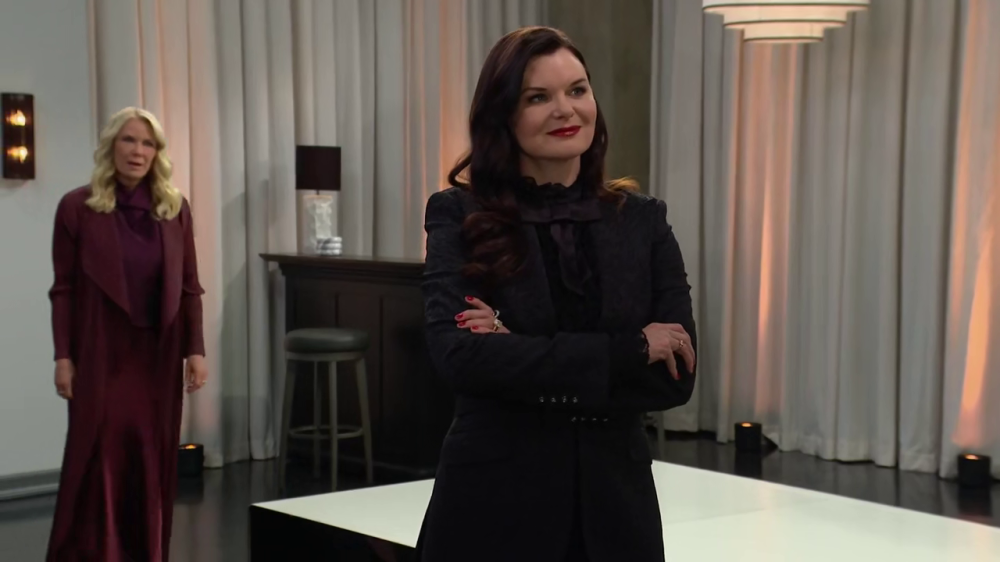 Hope honey... now beware your histrionic male obsessed mother dearest will cry on... someone's shoulder (or something else) about how betrayed she is... Maybe this will be... Ridge... the chauvinistic pig.... or I don't know... maybe your husband Liam. Don't let her hug him or cry near him because that's foreplay for that animal.@Errol - I'm officially back into SON using Opera as default browser. I hope this is the last time I was logged out and Chrome can go to hell!Maxim changed their profile photoYEEEEEEEEEES. As soon as we completely move in the new apartment... I'm taking a few days break from work and will binge watch baaack to current episodes. Can't waaait. ❤️I miss BTG and reading this topic too.FREEDOM and EMANCIPATION BACK TO MOMMIE DEAREST IN 3 MONTHSAaaand the winner is... Long live the new Queen of Bold...Bold is still doing so good... + 200k compared to last year... 2026 has been FIRE.LOVE ITI was showing my husband clips from the past few months and laughing out loud at Brooke's histrionics... telling Katie how she is the homely introvert and all that nonsense... And I realized that the last time I enjoyed Bold so much was when I was a... child. I am not joking. The show has completely risen from the ashes for me and this 2026 season so far has given me everything I want and need. Brava. It's also the only soap I currently watch and follow which is saying enough.







Important Information
By using this site, you agree to our Terms of Use and Privacy Policy
