





Maxim
Member
-
Joined
Everything posted by Maxim
-
Happy mother's day y'all
-
And God... Katherine looked so beautiful in this episode. Leave Ridge and make us have our Brooke Logan HOT girl summer. NOW!
.gif.998bb727b1f70a5069b9339e17b0e09d.gif) I loved some of today's dialogue between Brooke and Hope. WOW. Long time I haven't said this.This is my number 1.It's pretty much impossible for me to use to site on my phone. Bizarrely it has never booted me from the laptop and I use Chrome there too. Everything is up to date on all devices.They need to stop with the no eyebrows look.I just saw Tamara Tunie while binge-watching Sex And The City... Yaaaaaaaaaaaas.
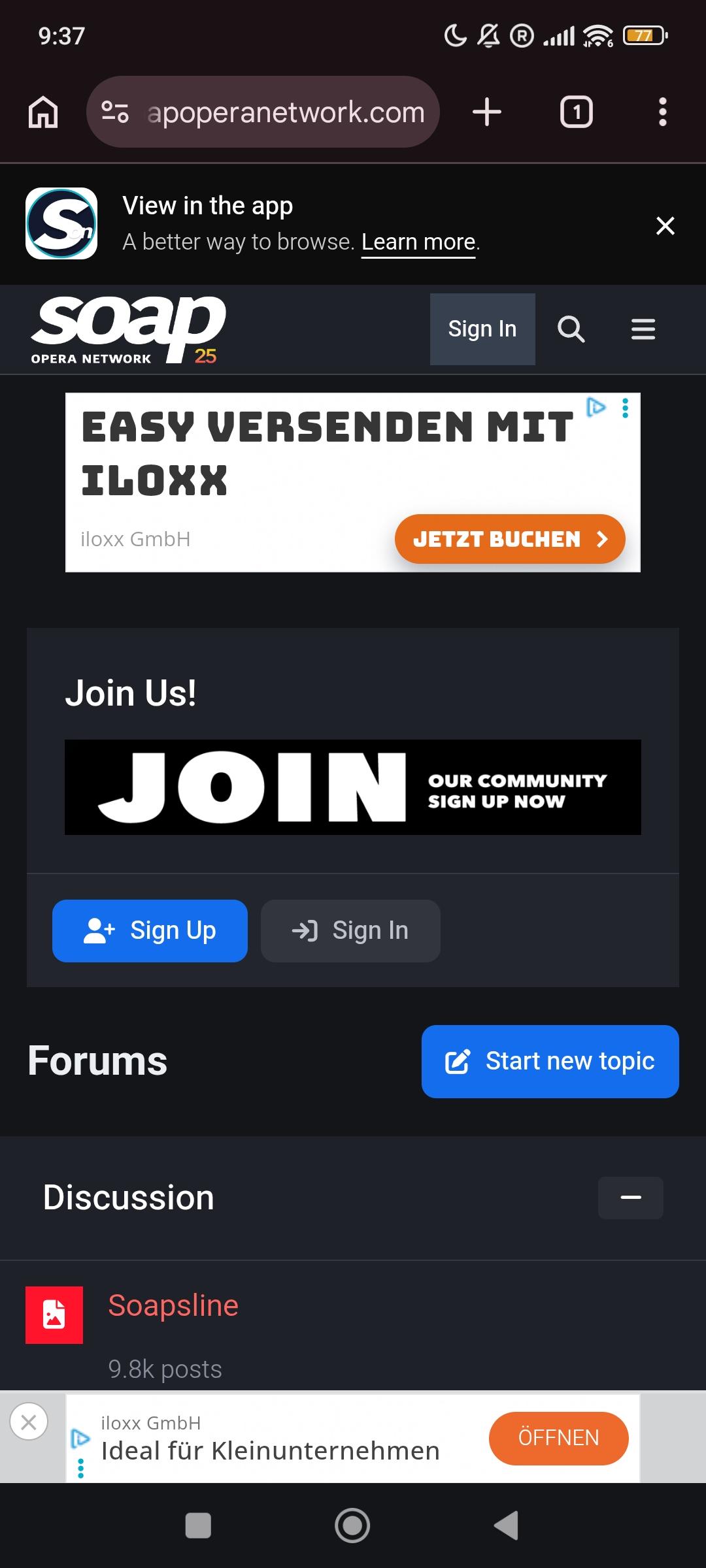
I loved some of today's dialogue between Brooke and Hope. WOW. Long time I haven't said this.This is my number 1.It's pretty much impossible for me to use to site on my phone. Bizarrely it has never booted me from the laptop and I use Chrome there too. Everything is up to date on all devices.They need to stop with the no eyebrows look.I just saw Tamara Tunie while binge-watching Sex And The City... Yaaaaaaaaaaaas..thumb.png.d3c84350b5767ec7b8600c3afdde8d37.png) @Errol - I'm sad to update that it just booted me off again like it used to... on mobile... and it won't let me get in. So I had to come and write this on the laptop, where thankfully I'm still IN. Aaaaaaah. 😔The editor who did the airbrushing on this... should be fired. They look AI generated. Other than that... I kinda like it.BTW, I don't know about you guys (the others that were having the issue), but I no longer have it on my phone. At least... not for now. I hope it never happens again. I'm saying this, so that @Errol can have some in feedback on what we are experiencing past the "forced logout". So far... so good since then.Same. Never ever experienced an issue on laptop. Just mobile. Today... So far, so good.Thank you Errol. Just logged in againWe just saw it in the cinema... Horrible. Very disappointed. Such a cash-grab legacy ruing stupidity. I have no more words. I was so stupid to expect anything more. 2 hours of cringing.Not using VPN. Ip may change based on if I'm outside using mobile data or using a restaurant's free wifi or things like that. But most of the time it's when I'm home and just using my phone.It's booting me in and out every few minutes on mobile. NON-stop. I'm now writing on the laptop. It's unusable on mobile.P.S. I had to click multiple times on Submit before it was registered as posted. I'm talking about the post before this one. I would click on submit and nothing would happen. I have video of that, but I can't post it here since uploading videos is no longer available. P.S. 2 And then I got booted out again just now and it fixed itself again. It's so frustrating, every post takes minutes to post.It still happens on my mobile. Here are screenshots of what I see. When I get to the login screen and enter credentials, nothing happens, it still gives me the screen to login in a loop. Then... minutes later it fixed itself, so now I'm able to post about it. It lasted for just couple of minutes this time. @Errol
@Errol - I'm sad to update that it just booted me off again like it used to... on mobile... and it won't let me get in. So I had to come and write this on the laptop, where thankfully I'm still IN. Aaaaaaah. 😔The editor who did the airbrushing on this... should be fired. They look AI generated. Other than that... I kinda like it.BTW, I don't know about you guys (the others that were having the issue), but I no longer have it on my phone. At least... not for now. I hope it never happens again. I'm saying this, so that @Errol can have some in feedback on what we are experiencing past the "forced logout". So far... so good since then.Same. Never ever experienced an issue on laptop. Just mobile. Today... So far, so good.Thank you Errol. Just logged in againWe just saw it in the cinema... Horrible. Very disappointed. Such a cash-grab legacy ruing stupidity. I have no more words. I was so stupid to expect anything more. 2 hours of cringing.Not using VPN. Ip may change based on if I'm outside using mobile data or using a restaurant's free wifi or things like that. But most of the time it's when I'm home and just using my phone.It's booting me in and out every few minutes on mobile. NON-stop. I'm now writing on the laptop. It's unusable on mobile.P.S. I had to click multiple times on Submit before it was registered as posted. I'm talking about the post before this one. I would click on submit and nothing would happen. I have video of that, but I can't post it here since uploading videos is no longer available. P.S. 2 And then I got booted out again just now and it fixed itself again. It's so frustrating, every post takes minutes to post.It still happens on my mobile. Here are screenshots of what I see. When I get to the login screen and enter credentials, nothing happens, it still gives me the screen to login in a loop. Then... minutes later it fixed itself, so now I'm able to post about it. It lasted for just couple of minutes this time. @Errol
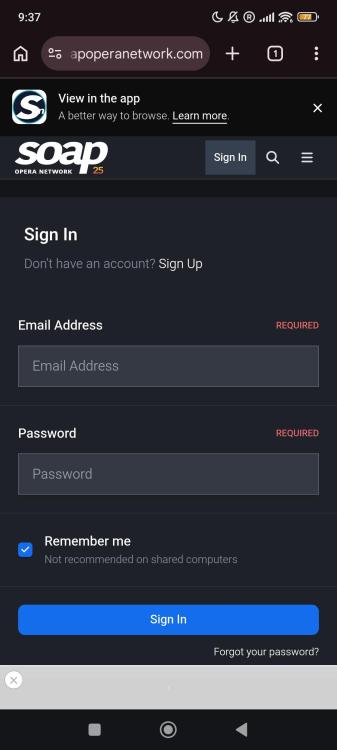 Aaaaah okay, so Bold's not THAT much up, hahaha.Bold is sooooo impressive in the ratings... and the show is FIRE lately... (for their standards) Keep it up, whatever they're doing. THANKS TOUPS.I want to add something that might help. I'm never truly LOGGED OUT. It shows I'm logged out and boots me out, but then it resolves itself without me logging back in. The site thinks I'm logged out temporarily... sometimes it fixes itself in seconds or minutes, and other times it shows me logged out for hours. Eventually, it recognizes I'm logged in again without any action from me. When it prompts me to log in after "booting me" out, it never lets me in again - it just keeps showing the login screen for my credentials. It's a loop that can't be broken. Even If I don't write anything and don't even try to login again - the next time I open the forum in an hour or two... on the same device and same browser - I'm magically logged in like I used to before the glitch happened.As I said even before for the live version - I live for this song!



.png.2dac5dd4d22ea53f9dff32686add70ff.png)

Important Information
By using this site, you agree to our Terms of Use and Privacy Policy

Account
Navigation
Search
Configure browser push notifications
Chrome (Android)
- Tap the lock icon next to the address bar.
- Tap Permissions → Notifications.
- Adjust your preference.
Chrome (Desktop)
- Click the padlock icon in the address bar.
- Select Site settings.
- Find Notifications and adjust your preference.
Safari (iOS 16.4+)
- Ensure the site is installed via Add to Home Screen.
- Open Settings App → Notifications.
- Find your app name and adjust your preference.
Safari (macOS)
- Go to Safari → Preferences.
- Click the Websites tab.
- Select Notifications in the sidebar.
- Find this website and adjust your preference.
Edge (Android)
- Tap the lock icon next to the address bar.
- Tap Permissions.
- Find Notifications and adjust your preference.
Edge (Desktop)
- Click the padlock icon in the address bar.
- Click Permissions for this site.
- Find Notifications and adjust your preference.
Firefox (Android)
- Go to Settings → Site permissions.
- Tap Notifications.
- Find this site in the list and adjust your preference.
Firefox (Desktop)
- Open Firefox Settings.
- Search for Notifications.
- Find this site in the list and adjust your preference.