






dragonflies
Member
-
Joined
-
Last visited
Everything posted by dragonflies
-
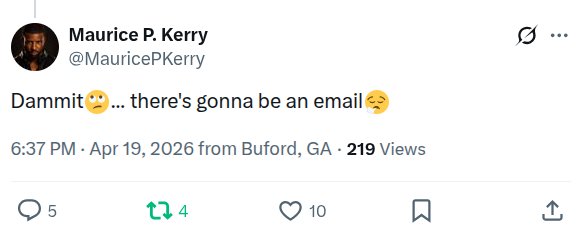
Are there bigger entitled, whiny crybabies than Hope and Brooke? Yuck I love everything Steffy said to her loser father. I just wish she'd remind his arse she owns more shares than himThey have scenes that weren't in the broadcast episodes, cause they're longer in length. I'm watching one now with scenes that the same episode on YT doesn't haveThe app has "director's cut" of episodes with scenes I haven't seen. Must be the "bonus" scenes we in the US wouldn't normally seeNot having any trouble at all and I'm using ChromeThanks!!!Is there a link to Pluto Canada?🤣 https://x.com/MauricePKerry/status/2045995141454787016
Important Information
By using this site, you agree to our Terms of Use and Privacy Policy

Account
Navigation
Search
Configure browser push notifications
Chrome (Android)
- Tap the lock icon next to the address bar.
- Tap Permissions → Notifications.
- Adjust your preference.
Chrome (Desktop)
- Click the padlock icon in the address bar.
- Select Site settings.
- Find Notifications and adjust your preference.
Safari (iOS 16.4+)
- Ensure the site is installed via Add to Home Screen.
- Open Settings App → Notifications.
- Find your app name and adjust your preference.
Safari (macOS)
- Go to Safari → Preferences.
- Click the Websites tab.
- Select Notifications in the sidebar.
- Find this website and adjust your preference.
Edge (Android)
- Tap the lock icon next to the address bar.
- Tap Permissions.
- Find Notifications and adjust your preference.
Edge (Desktop)
- Click the padlock icon in the address bar.
- Click Permissions for this site.
- Find Notifications and adjust your preference.
Firefox (Android)
- Go to Settings → Site permissions.
- Tap Notifications.
- Find this site in the list and adjust your preference.
Firefox (Desktop)
- Open Firefox Settings.
- Search for Notifications.
- Find this site in the list and adjust your preference.

