Jump to content
View in the app

A better way to browse. Learn more.

Soap Opera Network Community

A full-screen app on your home screen with push notifications, badges and more.

To install this app on iOS and iPadOS
  1. Tap the Share icon in Safari
  2. Scroll the menu and tap Add to Home Screen.
  3. Tap Add in the top-right corner.
To install this app on Android
  1. Tap the 3-dot menu (⋮) in the top-right corner of the browser.
  2. Tap Add to Home screen or Install app.
  3. Confirm by tapping Install.

Featured Replies

  • Member
5 hours ago, Chris B said:

From what I can find that doesn’t look like good news. I longed for them to get the app together, but from their website, It’s Real Good TV is just a 24/7 digital channel. So you wouldn’t be able to watch the show as you currently do streaming, just based on what it airs on the network. 

I think it will be set up to watch “on demand.”

  • Replies 5k
  • Views 1.8m
  • Created
  • Last Reply

Top Posters In This Topic

Posted Images

  • Member
8 hours ago, Chris B said:

From what I can find that doesn’t look like good news. I longed for them to get the app together, but from their website, It’s Real Good TV is just a 24/7 digital channel. So you wouldn’t be able to watch the show as you currently do streaming, just based on what it airs on the network. 


The e-mail does say all available episodes will be there on demand.

Maybe I'm wrong but it seems to me that the issues with WTD had more to do with human choices and not so much the platform's performance. The delay of the final years' episodes due the pandemic, the lack of expansion with the originally promised features, the mislabeled episode dates, likely lacking in hoped-for number of subscribers....I think they overestimated the audience that would pay for it. Drawing an audience watching a classic soap on a channel for free vs. paying even a small fee to essentially binge one show (and partake of the other features that didn't come to be), plus when people finish the series they likely wouldn't renew...they probably should have done originally what they're doing now. I don't know how interactive or community-involved the site will be or whether it will be essentially just a collection of streams and on-demand content. It keeps feeling like they want to aim high but the result doesn't quite make it.

  • Member

I just wish they would release more of the bonus materials of the interview sessions taken in NYC last January - just before the pandemic hit. It's been over a year - what are they waiting for?

  • Member
On 3/13/2021 at 3:41 PM, amybrickwallace said:

I just wish they would release more of the bonus materials of the interview sessions taken in NYC last January - just before the pandemic hit. It's been over a year - what are they waiting for?


Even the potential appeal/value of cast interviews on the app has diminished with Locher's interviews available for free on youtube.

I appreciate what they did in the first place just by offering the show on demand. It just seems they keep doing things sort of half-baked, things left unfinished or neglected, including the general Retro TV site itself. It just makes me confused about how committed and capable they are.

  • Member

Some quality control would have helped re episodes being out-of-order, containing the wrong synopsis, etc. but I doubt they have a large enough staff to do that.

  • Member
4 hours ago, amybrickwallace said:

I love that picture. Go Frank!!! 😂

Even that awful suit can't ruin his good looks, lol!

  • Member

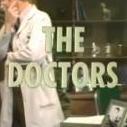
The premiere episode 'Whatsoever House I Enter'

Dr Scott (Jock Gaynor) performs a critical operation on a 7 yr old girl. 

Edited by Paul Raven

Join the conversation

You can post now and register later. If you have an account, sign in now to post with your account.

Guest
Unfortunately, your content contains terms that we do not allow. Please edit your content to remove the highlighted words below.
Reply to this topic...

Recently Browsing 0

  • No registered users viewing this page.

Important Information

By using this site, you agree to our Terms of Use and Privacy Policy

Configure browser push notifications

Chrome (Android)
  1. Tap the lock icon next to the address bar.
  2. Tap Permissions → Notifications.
  3. Adjust your preference.
Chrome (Desktop)
  1. Click the padlock icon in the address bar.
  2. Select Site settings.
  3. Find Notifications and adjust your preference.