





Soapsuds
Member
-
Joined
Everything posted by Soapsuds
-
Same Deke is being wasted. Where is his storyline? Why haven't we seen him working at Logan? Did Katie not offer him a job? Why isn't Deke being wooed by another guy?
-
You mean Rashard. 😋😁 Joey looked downright awful today, and there was no cliffhanger.
-
-
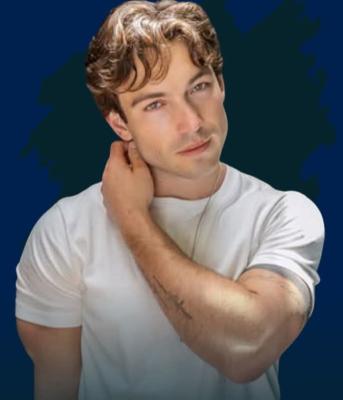
Thank you for the recap.You piqued my curiosity. After seeing that hot body I have to ask again why is he being wasted on Leo? I hate the new floating little circles.Deke, is RJ going bi? I find the quad very vanilla and boring. I don't see any potential, which means Miss Dylan will turn psycho soon.The 1982-1983 season was one of my favorite seasons. Sue Ellen and Mickey's accident could have easily been the cliffhanger that ended season six, with the Ewing fire being the cliffhanger for episode one of season seven.This is what I was expecting as well. I have no idea why Bradley botched this promising story. It was obvious how it was going to unfold, yet instead we got this nonsense.Bradley has truly forgotten that Deke is gay. What happened to this great gay pairing? It was all hype once again.Same and he looked hot as hell in Friday's episode. Now that is the type of Friday cliffhanger I've been waiting for the show to do. Something to make you want to tune in the following week.The facial expressions by LW during that mess were hilarious.😂😂😂Culture ClubSEX!!😂I would say this is very accurate assessment on BTG. It doesn't have many cliffhangers to make you want to tune in the following day or week.I voted for James Talarico, and on election day, I found out my family voted for him too. My dad was being very coy about who he had voted for. Of course, I would have loved a Latino candidate in the mix, but I'm happy with the results on Tuesday Talarico won big with the Latino vote and did well with the college crowd. I couldn't believe how long the lines were at UT....
 Jack Wagner was on this week's "The Masked Singer".Why bring Lexi back when it's not the original actress in the role, and she's only going to be on for five months?Nice seeing Deke in yesterday's episode. That's all I have.I was shocked that Joss's secrets all came out. Those were some good scenes with Carly and Joss. Chase, BLQ, and the unknown female and baby story are boring. Why should I care about a one-day player?

Important Information
By using this site, you agree to our Terms of Use and Privacy Policy

Account
Navigation
Search
Configure browser push notifications
Chrome (Android)
- Tap the lock icon next to the address bar.
- Tap Permissions → Notifications.
- Adjust your preference.
Chrome (Desktop)
- Click the padlock icon in the address bar.
- Select Site settings.
- Find Notifications and adjust your preference.
Safari (iOS 16.4+)
- Ensure the site is installed via Add to Home Screen.
- Open Settings App → Notifications.
- Find your app name and adjust your preference.
Safari (macOS)
- Go to Safari → Preferences.
- Click the Websites tab.
- Select Notifications in the sidebar.
- Find this website and adjust your preference.
Edge (Android)
- Tap the lock icon next to the address bar.
- Tap Permissions.
- Find Notifications and adjust your preference.
Edge (Desktop)
- Click the padlock icon in the address bar.
- Click Permissions for this site.
- Find Notifications and adjust your preference.
Firefox (Android)
- Go to Settings → Site permissions.
- Tap Notifications.
- Find this site in the list and adjust your preference.
Firefox (Desktop)
- Open Firefox Settings.
- Search for Notifications.
- Find this site in the list and adjust your preference.