





I Am A Swede
Member
-
Joined
-
Last visited
Everything posted by I Am A Swede
-
In memory of Nicola Pagett (1945-2021)
-
R.I.P. Miss Lizzie
-
78th Golden Globe Awards Best Picture (drama): Nomadland Best Picture (musical or comedy): Borat Subsequent Moviefilm Best Actor (drama): Chadwick Boseman – Ma Rainey’s Black Bottom Best Actress (drama): Andra Day – The United States vs Billie Holiday Best Actor (musical or comedy): Sacha Baron Cohen – Borat Subsequent Moviefilm Best Actress (musical or comedy): Rosamund Pike – I Care A Lot Supporting Actor: Daniel Kaluuya – Judas and the Black Messiah Supporting Actress: Jodie Foster – The Mauritanian And Best Director: Chloé Zhao – Nomadland (only the second woman to win this award in history) Full list: https://awardswatch.com/2021-golden-globe-awards-nomadland-the-crown-rule-surprise-wins-for-andra-day-rosamund-pike-jodie-foster/John Geddert: Ex-US Olympics coach found dead after sex assault chargesI know I sound like a broken record, but when it comes to the Dingles there's only one thing to say.....
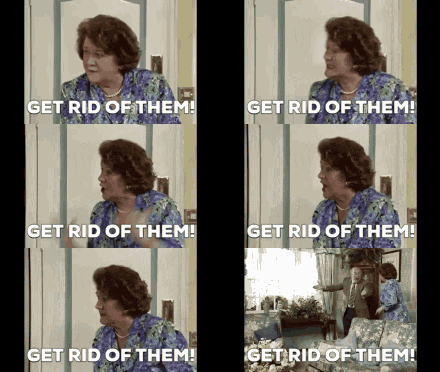 Someone please put this poor show out of its misery..... Apparently when Faith returns next week Chas and Cain will disagree about her presence in the village, so Chas takes the matter to the Dingle court.... The first person who came up with this Dingle court nonsense all those years ago should be banned from ever writing again! This show is so bad right now it's physically painful. The only, and I do mean only, saving grace is Charlotte Bellamy as Laurel.Love for 1981 and love for ABBA.... So, how about some ABBA from 1981?Singer Glenn Medeiros: 'Sexual favours were the norm in music industry'So happy I was wrong! Thank you, Stefanos Tsitsipas!
 Please tell me we're not getting yet another Djokovic - Nadal final.....
 This was popular the year I was born.....
Important Information
By using this site, you agree to our Terms of Use and Privacy Policy

Account
Navigation
Search
Configure browser push notifications
Chrome (Android)
- Tap the lock icon next to the address bar.
- Tap Permissions → Notifications.
- Adjust your preference.
Chrome (Desktop)
- Click the padlock icon in the address bar.
- Select Site settings.
- Find Notifications and adjust your preference.
Safari (iOS 16.4+)
- Ensure the site is installed via Add to Home Screen.
- Open Settings App → Notifications.
- Find your app name and adjust your preference.
Safari (macOS)
- Go to Safari → Preferences.
- Click the Websites tab.
- Select Notifications in the sidebar.
- Find this website and adjust your preference.
Edge (Android)
- Tap the lock icon next to the address bar.
- Tap Permissions.
- Find Notifications and adjust your preference.
Edge (Desktop)
- Click the padlock icon in the address bar.
- Click Permissions for this site.
- Find Notifications and adjust your preference.
Firefox (Android)
- Go to Settings → Site permissions.
- Tap Notifications.
- Find this site in the list and adjust your preference.
Firefox (Desktop)
- Open Firefox Settings.
- Search for Notifications.
- Find this site in the list and adjust your preference.

