Jump to content
View in the app

A better way to browse. Learn more.

Soap Opera Network Community

A full-screen app on your home screen with push notifications, badges and more.

To install this app on iOS and iPadOS
  1. Tap the Share icon in Safari
  2. Scroll the menu and tap Add to Home Screen.
  3. Tap Add in the top-right corner.
To install this app on Android
  1. Tap the 3-dot menu (⋮) in the top-right corner of the browser.
  2. Tap Add to Home screen or Install app.
  3. Confirm by tapping Install.

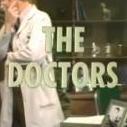
The Doctors Discussion Thread

Featured Replies

  • Member
18 minutes ago, cody_1990 said:

The first 60 minute episode aired on January 23 1975. The episode Retro TV has available to stream for that date cuts off at 24 minutes, the last 15 or so minutes are missing. Not sure if it aired on Retro TV like that or not.

The next special episode, the 90 minute episode that aired on March 15 1976 and included the return of Nick to save Althea aired in 3 half hour increments on RTV and is available for streaming that way.

The other 60 minute episode which aired on March 29 1977, the return of Carolee to Madison, is the same as the 90 Min episode, broken up into 2 half hours segments.

Thank you so much. Appreciate your help!

  • Replies 5.1k
  • Views 1.9m
  • Created
  • Last Reply

Top Posters In This Topic

Posted Images

Join the conversation

You can post now and register later. If you have an account, sign in now to post with your account.

Guest
Reply to this topic...

Recently Browsing 1

Important Information

By using this site, you agree to our Terms of Use and Privacy Policy

Account

Navigation

Search

Configure browser push notifications

Chrome (Android)
  1. Tap the lock icon next to the address bar.
  2. Tap Permissions → Notifications.
  3. Adjust your preference.
Chrome (Desktop)
  1. Click the padlock icon in the address bar.
  2. Select Site settings.
  3. Find Notifications and adjust your preference.