victoria foxton
Banned - Not Active
-
Joined
-
Last visited
Everything posted by victoria foxton
-
Please Ron try to find them.
I only seen a couple with MF. I would say he is a touch better.
She wrote the classic Doreen/Maya catfight. But i cringe at the thought of an inept Alan interviewing her.

 .
.
 @Soapsuds
 The event was a Spectrum Celeb virtual event. Which took place on Sept, 25. Dudes only 27. Way too young for body aches.
@Soapsuds
The event was a Spectrum Celeb virtual event. Which took place on Sept, 25. Dudes only 27. Way too young for body aches.
@Soapsuds
 Sonny's back from the dead tour. Where everyone is welcoming him back with open arms. Is annoying as af. Joss and Esme's scenes were great.
It was a pretty good interview. Alan isn't as ultra uptight with the non P&G soaps. It also helped that the interviewees carried the interview. Alan got bitchy. Because Jonelle device was giving a bit of an echo. They spoke about both Kristoff and Anthony. And of course the classic catfight between Doreen and Maya.
Sonny's back from the dead tour. Where everyone is welcoming him back with open arms. Is annoying as af. Joss and Esme's scenes were great.
It was a pretty good interview. Alan isn't as ultra uptight with the non P&G soaps. It also helped that the interviewees carried the interview. Alan got bitchy. Because Jonelle device was giving a bit of an echo. They spoke about both Kristoff and Anthony. And of course the classic catfight between Doreen and Maya.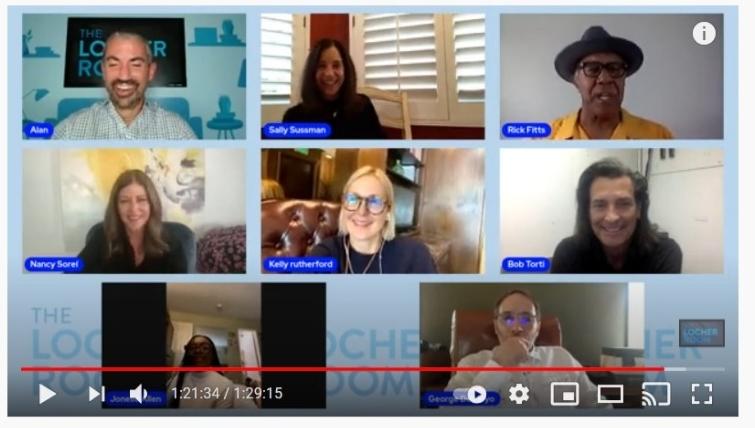 I'm so glad. I never watched this show. Too many toxic stuck up actors.
Yup! We know about it. I do wish more Capitol would surface. Not much of 82-85 is online. Just a couple of random episodes. There's more of 85-87. I do like Capitol. Even though it can be very uneventful. My favorite story was Mark's shooting. Sadly those episodes are no longer on Youtube.
No possession today. Skip it. It was that boring. No Johnny, no surprise guest appearances from Will.
I'm so glad. I never watched this show. Too many toxic stuck up actors.
Yup! We know about it. I do wish more Capitol would surface. Not much of 82-85 is online. Just a couple of random episodes. There's more of 85-87. I do like Capitol. Even though it can be very uneventful. My favorite story was Mark's shooting. Sadly those episodes are no longer on Youtube.
No possession today. Skip it. It was that boring. No Johnny, no surprise guest appearances from Will.
Important Information
By using this site, you agree to our Terms of Use and Privacy Policy

Account
Navigation
Search
Configure browser push notifications
Chrome (Android)
- Tap the lock icon next to the address bar.
- Tap Permissions → Notifications.
- Adjust your preference.
Chrome (Desktop)
- Click the padlock icon in the address bar.
- Select Site settings.
- Find Notifications and adjust your preference.
Safari (iOS 16.4+)
- Ensure the site is installed via Add to Home Screen.
- Open Settings App → Notifications.
- Find your app name and adjust your preference.
Safari (macOS)
- Go to Safari → Preferences.
- Click the Websites tab.
- Select Notifications in the sidebar.
- Find this website and adjust your preference.
Edge (Android)
- Tap the lock icon next to the address bar.
- Tap Permissions.
- Find Notifications and adjust your preference.
Edge (Desktop)
- Click the padlock icon in the address bar.
- Click Permissions for this site.
- Find Notifications and adjust your preference.
Firefox (Android)
- Go to Settings → Site permissions.
- Tap Notifications.
- Find this site in the list and adjust your preference.
Firefox (Desktop)
- Open Firefox Settings.
- Search for Notifications.
- Find this site in the list and adjust your preference.