I Am A Swede
Member
-
Joined
-
Last visited
Everything posted by I Am A Swede
-
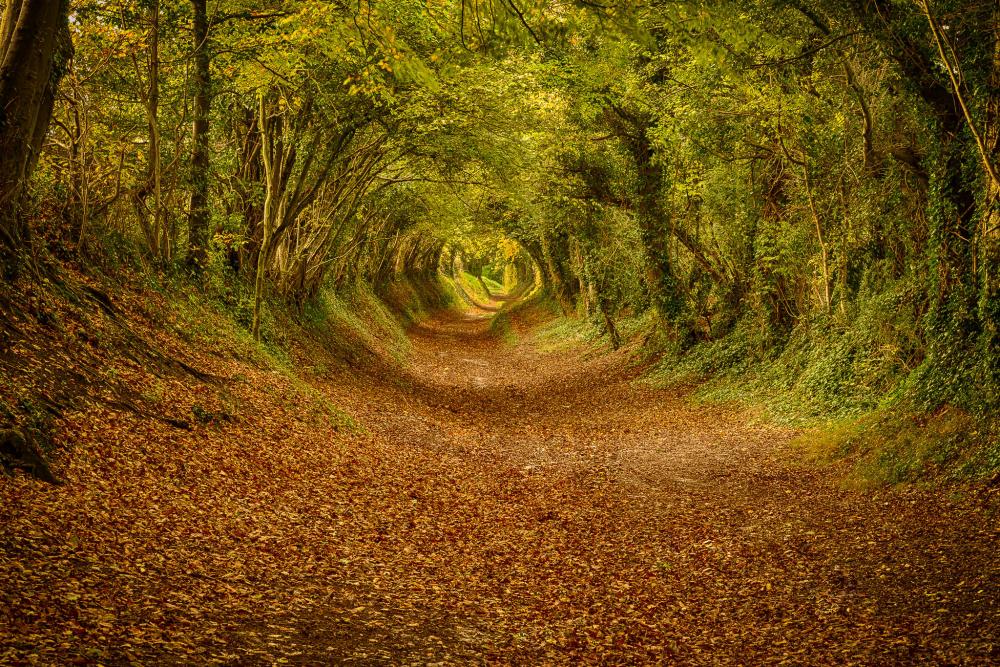
The magical path leading to Halnaker Windmill, near Chichester in the south of England.
 40 years! 😲 Time sure flies......I don't really know why, but Latvia's song was oddly intriguing. I like when the national languages are used. (Kind of ironic, since I'm from Sweden and we haven't sung in Swedish since 1998....) It did have a slight opening number-feel to it though, or maybe interval act. I can see why Malta is going for some controversy to get attention, because that song was hideous, and Miriana Conte can not sing. I would be extremely shocked if they finish anywhere else but last. I would frankly be surprised if it gets any points at all.I think Sweden's entry in 2004 used the microphone stand much better. And Lena did it with a lot of humour.Not all that impressed with any of those entries. I guess Greece can get some bonus points for those Nana Mouskouri-inspired glasses. (Nana had a better song though when she entered ESC in 1963). Slovenia's song might have been better sung in Slovenian. When sung in English you can hear how bad the lyrics actually are. That is too often the case when non-English speakers try to write lyrics in English. Spain's song is not entirely bad, but we've seen that kind of performance a few too many times in recent years. Belgium's song will get the attention from me that it deserves, which is none at all.....They should have killed off Ridge when Ronn left. In that clip Thorsten looks more like a character from "Roseanne" than like Ridge Forrester.I'm sorry, I have tried and tried, but.... Thorsten Kaye is completely wrong as Ridge Forrester. He looks like a slob in that clip, and not like a stylish fashion designer. Ronn Moss is a terrible actor, but he embodied the character of Ridge Forrester in a way that Thorsten Kaye just can't match.I had a really, really low opinion of Trump before, but he has surpassed even my worst case scenarios already, and we're only a few weeks into his presidency..... I don't even want to think about all the damage he will do during the coming years. It's beyond terrifying.
Important Information
By using this site, you agree to our Terms of Use and Privacy Policy

Account
Navigation
Search
Configure browser push notifications
Chrome (Android)
- Tap the lock icon next to the address bar.
- Tap Permissions → Notifications.
- Adjust your preference.
Chrome (Desktop)
- Click the padlock icon in the address bar.
- Select Site settings.
- Find Notifications and adjust your preference.
Safari (iOS 16.4+)
- Ensure the site is installed via Add to Home Screen.
- Open Settings App → Notifications.
- Find your app name and adjust your preference.
Safari (macOS)
- Go to Safari → Preferences.
- Click the Websites tab.
- Select Notifications in the sidebar.
- Find this website and adjust your preference.
Edge (Android)
- Tap the lock icon next to the address bar.
- Tap Permissions.
- Find Notifications and adjust your preference.
Edge (Desktop)
- Click the padlock icon in the address bar.
- Click Permissions for this site.
- Find Notifications and adjust your preference.
Firefox (Android)
- Go to Settings → Site permissions.
- Tap Notifications.
- Find this site in the list and adjust your preference.
Firefox (Desktop)
- Open Firefox Settings.
- Search for Notifications.
- Find this site in the list and adjust your preference.