victoria foxton
Banned - Not Active
-
Joined
-
Last visited
Everything posted by victoria foxton
-
Dynasty's Gay Journey - Killer Dads, Shoulderpads, and the Kiss that Rocked Hollywood
-
No he hasn't.
. Tripp and Chanel get close while sharing their woes.
 I see the difference now.
I think it was the wonky writing. That did Anne no favors. Like when she was homeless. Hanging out with the obese homeless man.
I don't think Days even bought Leo a new clown suit. The one Leo is wearing in the pic looks like an old one.
Very handsome gentleman. 😍
I don't hate Eric. But his just such a bland underdeveloped character.
SOD covers back in the day were awesome. I also loved SOW's covers. The covers now look cheap as af. No creativity at all.
I see the difference now.
I think it was the wonky writing. That did Anne no favors. Like when she was homeless. Hanging out with the obese homeless man.
I don't think Days even bought Leo a new clown suit. The one Leo is wearing in the pic looks like an old one.
Very handsome gentleman. 😍
I don't hate Eric. But his just such a bland underdeveloped character.
SOD covers back in the day were awesome. I also loved SOW's covers. The covers now look cheap as af. No creativity at all.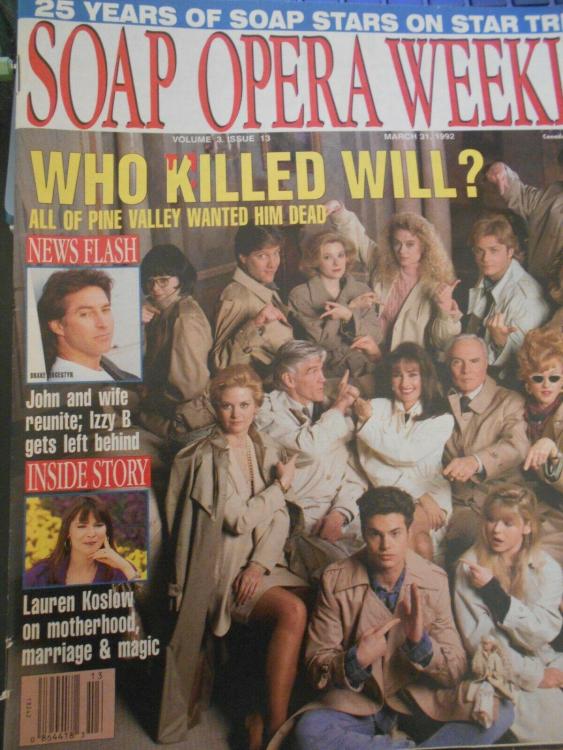 OH LORD! I wasn't aware of that fact.
Important Information
By using this site, you agree to our Terms of Use and Privacy Policy

Account
Navigation
Search
Configure browser push notifications
Chrome (Android)
- Tap the lock icon next to the address bar.
- Tap Permissions → Notifications.
- Adjust your preference.
Chrome (Desktop)
- Click the padlock icon in the address bar.
- Select Site settings.
- Find Notifications and adjust your preference.
Safari (iOS 16.4+)
- Ensure the site is installed via Add to Home Screen.
- Open Settings App → Notifications.
- Find your app name and adjust your preference.
Safari (macOS)
- Go to Safari → Preferences.
- Click the Websites tab.
- Select Notifications in the sidebar.
- Find this website and adjust your preference.
Edge (Android)
- Tap the lock icon next to the address bar.
- Tap Permissions.
- Find Notifications and adjust your preference.
Edge (Desktop)
- Click the padlock icon in the address bar.
- Click Permissions for this site.
- Find Notifications and adjust your preference.
Firefox (Android)
- Go to Settings → Site permissions.
- Tap Notifications.
- Find this site in the list and adjust your preference.
Firefox (Desktop)
- Open Firefox Settings.
- Search for Notifications.
- Find this site in the list and adjust your preference.