hmmm. Maybe Blake's? Although maybe Kat's gone by then. Eleni?
I'm going to regret asking...but Jeffrey kept Hope away from Michelle?
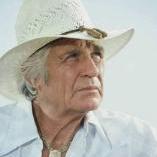
Billy is a pot-stirrer in the '80's and early '90's. While he's not the patriarch of the Lewises per se, I think his arrival kind of energizes both Josh and Trish, who were a family unit, but didn't have a lot of conflict between them. He also antagonizes Alan, and later Reva. He's actually the Big Bad in the first go-round of Josh/Reva. (He's either sickened that Reva is sleeping her way through his family, or obsessively jealous, take your pick.) When Kyle comes to town, he takes him on. When Billy comes back in '89, he becomes Roger's foil. (While almost everyone else in town also is, he's really the one who sort of enjoys the thought of taking Roger on.)
And of course, he brings out a more sympathetic, rootable side of Vanessa.
When Jordan returns in '97-ish, he's more of the support character. He's there when family needs him. I caught some silly scene when he's helping Bill break out Olivia from a nut hut or something, which is kind of funny...but a little sad, knowing he used to be a force to be reckoned with. As much as Zaslow or Deas were always lauded for their work, Jordan deserved lead emmy consideration for his work as well. He won a supporting actor emmy around '06-'07, which was long overdue, imo.
By
P.J. ·






Archived
This topic is now archived and is closed to further replies.