






Soapsuds
Member
-
Joined
Everything posted by Soapsuds
-
 After seeing today's regular Christmas show...A very Salem Christmas was better.
 -
I'm going to watch it again tonight.
Since I come from a huge family we're dropping off gifts and not staying. I sure miss the family gatherings though... Playing games for Christmas prizes...all the food...fun...laughter.
I forgot to mention how ugly that Christmas tree was at the Horton house. Oh and Ron Carlivati was on earlier reading this thread.😂
It was... Today's show was one hot mess. Where do I begin? It was just horrible. I was laughing through most of the episode. Ben at the Horton house putting up the angel not once but twice to Abby being nice to him and to top it off showing Ben's ornament and not Will who is an actual Horton was the icing on the cake. I didn't need to see Mrs. Chick til a either. I preferred Cady. At least MR didn't look like Irene Ryan.
😂😂😂 It's my comedy hour. I just have to laugh at these awful stories if not I'd go insane.
Dude?😉 How can you forget hot Shawn Garrett played by Grant Cramer. Also not on the list is David Kimble. @clubkidjeff Speaking of Rose...found this while looking for the clips with Shawn burying Lauren.
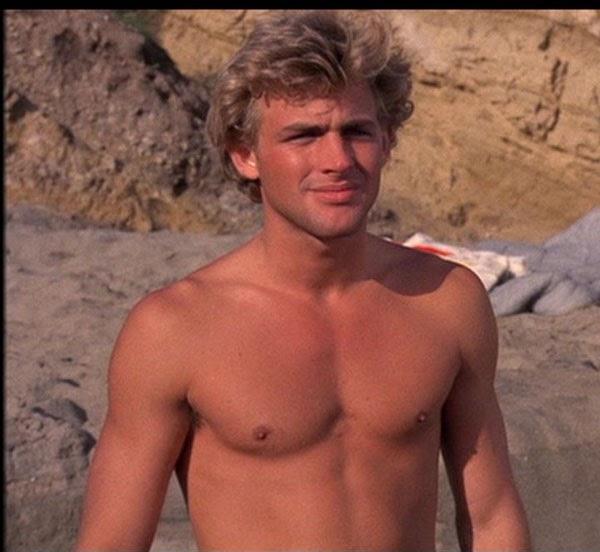 Timothy Adams and Dax Griffin are hunks!!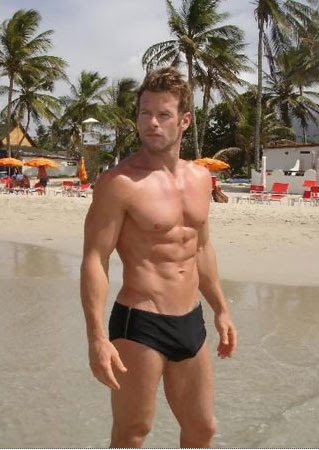
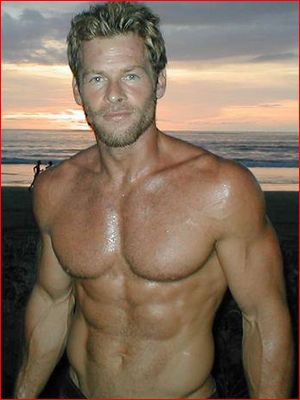
 Mmmmmm is he coming down my chimney?😍😍
James Stenbeck Is too low and so is Roger Thorpe.
Thanks for posting this! How did I miss it? I would've called in. I see nothing wrong with her natural hair. Why didn't she tape using it? The wig they have her wearing is hideous. I saw her scenes with KKL yesterday and they were fine. Deacon but especially Sheila is so played out. I kept thinking why are these two back on? They are boring and doing nothing.
Damn! Working on Christmas? Who's the Grinch?😂😂 Have fun dancing on NYE.😂
It's obvious RC doesn't care about BD or Lucas. He hasn't shown up on Peacock (which doesn't bother me at all) and in the regular is being thrown under the bus with Sami's kidnapping. When Ali leaves we won't see much of Lucas or BD.
May I suggest...
I'm just laughing thinking Tripp is now Jan.😂😂😂 So far MarDevil has... 1. Told Brady to f uck Chloe real good. 2. Kristen to seduce John. 3. Jan to f uck Shawn real good. I see a pattern😂😂😂 Oh and she loves to hit people over the head with cafeteria trays.😂 She's tied up John and threw Shawn across a table. And she finally wrecked a wedding Lame!
Btw...Johnny is sex on a stick!!
Looks just like Lindsay!
The whole Jan and Mardevil is damn hilarious! Where is the danger? Lucas should've boarded the private jet with Philip. Both need professional help.
Mmmmmm is he coming down my chimney?😍😍
James Stenbeck Is too low and so is Roger Thorpe.
Thanks for posting this! How did I miss it? I would've called in. I see nothing wrong with her natural hair. Why didn't she tape using it? The wig they have her wearing is hideous. I saw her scenes with KKL yesterday and they were fine. Deacon but especially Sheila is so played out. I kept thinking why are these two back on? They are boring and doing nothing.
Damn! Working on Christmas? Who's the Grinch?😂😂 Have fun dancing on NYE.😂
It's obvious RC doesn't care about BD or Lucas. He hasn't shown up on Peacock (which doesn't bother me at all) and in the regular is being thrown under the bus with Sami's kidnapping. When Ali leaves we won't see much of Lucas or BD.
May I suggest...
I'm just laughing thinking Tripp is now Jan.😂😂😂 So far MarDevil has... 1. Told Brady to f uck Chloe real good. 2. Kristen to seduce John. 3. Jan to f uck Shawn real good. I see a pattern😂😂😂 Oh and she loves to hit people over the head with cafeteria trays.😂 She's tied up John and threw Shawn across a table. And she finally wrecked a wedding Lame!
Btw...Johnny is sex on a stick!!
Looks just like Lindsay!
The whole Jan and Mardevil is damn hilarious! Where is the danger? Lucas should've boarded the private jet with Philip. Both need professional help.



Important Information
By using this site, you agree to our Terms of Use and Privacy Policy

Account
Navigation
Search
Configure browser push notifications
Chrome (Android)
- Tap the lock icon next to the address bar.
- Tap Permissions → Notifications.
- Adjust your preference.
Chrome (Desktop)
- Click the padlock icon in the address bar.
- Select Site settings.
- Find Notifications and adjust your preference.
Safari (iOS 16.4+)
- Ensure the site is installed via Add to Home Screen.
- Open Settings App → Notifications.
- Find your app name and adjust your preference.
Safari (macOS)
- Go to Safari → Preferences.
- Click the Websites tab.
- Select Notifications in the sidebar.
- Find this website and adjust your preference.
Edge (Android)
- Tap the lock icon next to the address bar.
- Tap Permissions.
- Find Notifications and adjust your preference.
Edge (Desktop)
- Click the padlock icon in the address bar.
- Click Permissions for this site.
- Find Notifications and adjust your preference.
Firefox (Android)
- Go to Settings → Site permissions.
- Tap Notifications.
- Find this site in the list and adjust your preference.
Firefox (Desktop)
- Open Firefox Settings.
- Search for Notifications.
- Find this site in the list and adjust your preference.