






Soapsuds
Member
-
Joined
Everything posted by Soapsuds
-
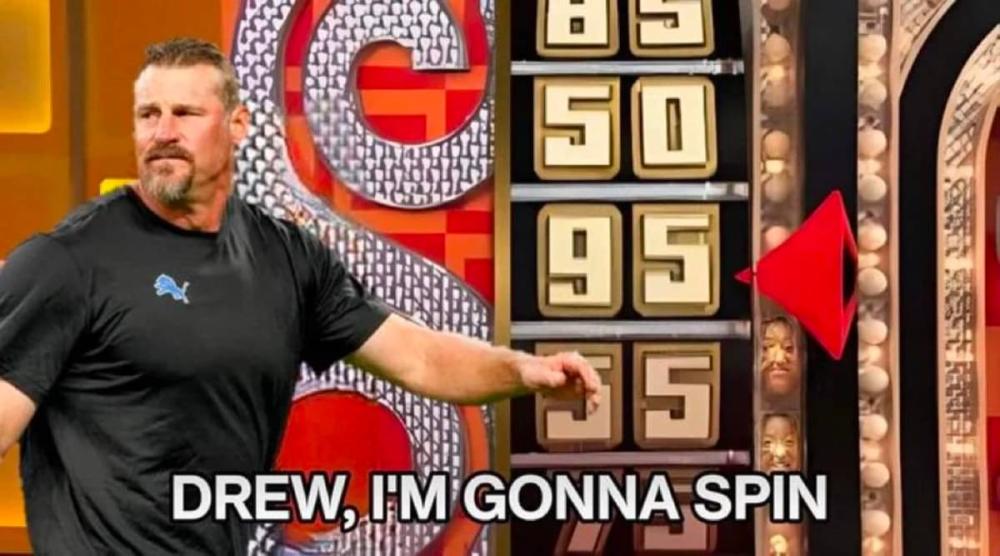
 😂😂😂
😂😂😂
-
The song is #1 on iTunes right now.
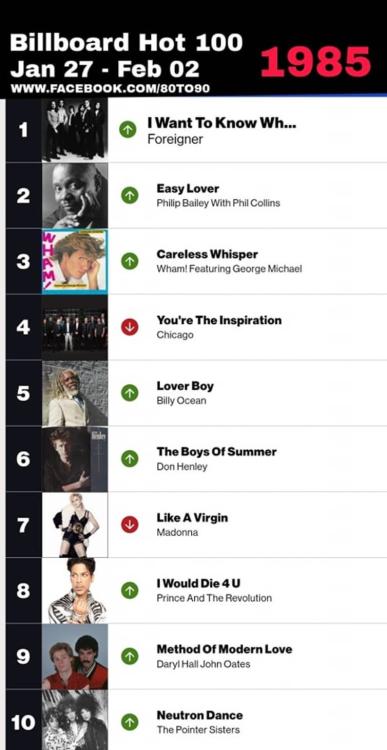
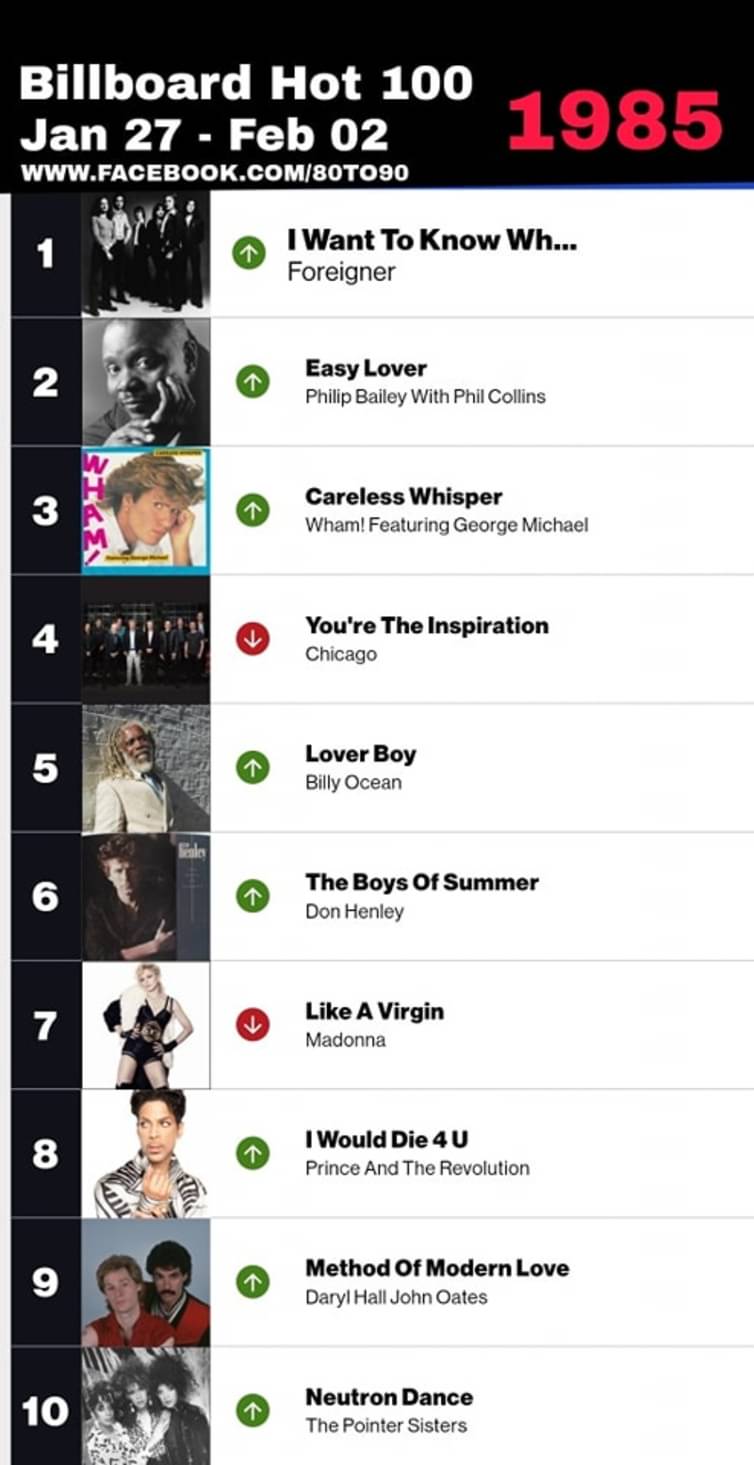
39 years ago this week
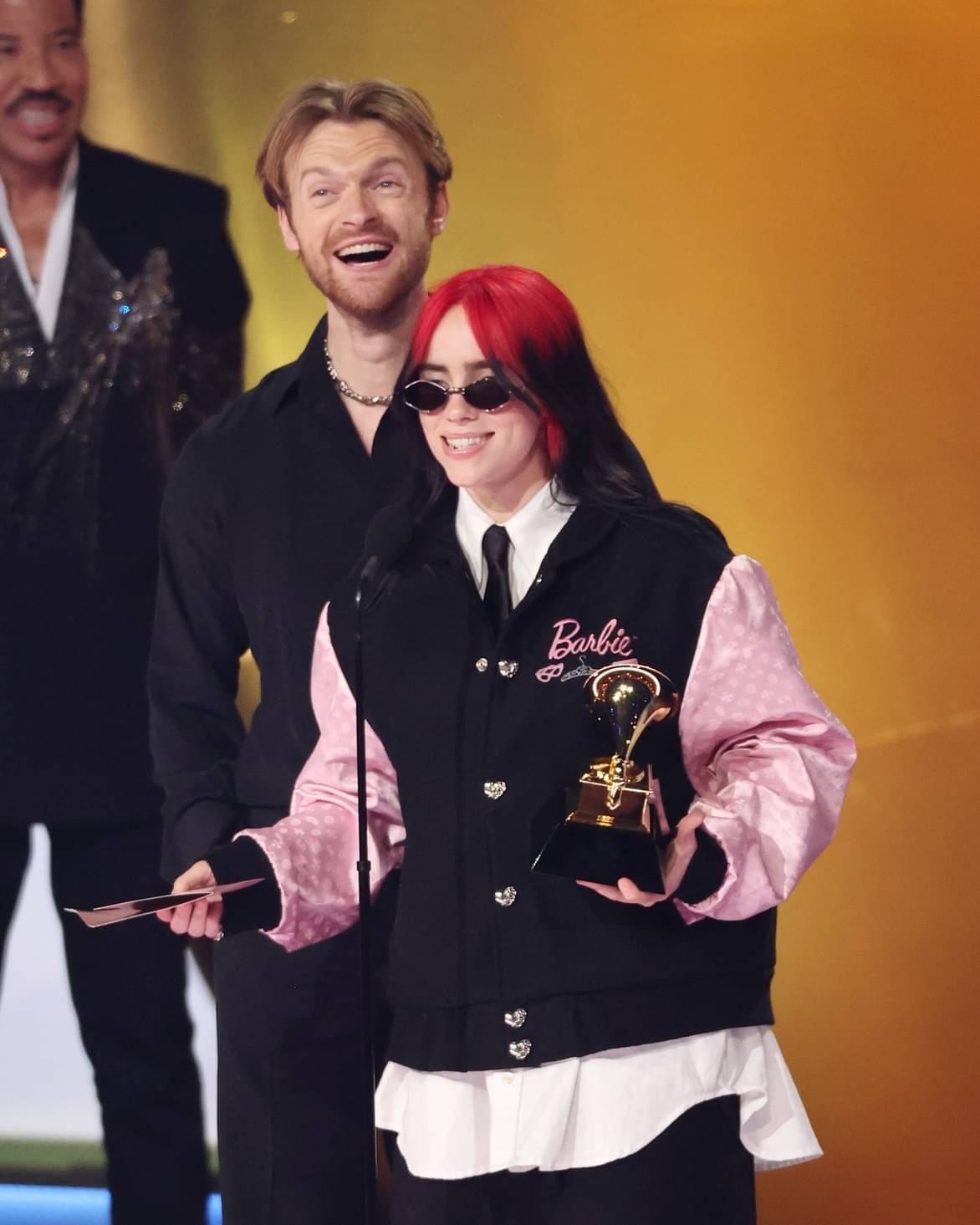
 Song and record of the year is still a mess all these years. Billie and Finneas won song of the year so they should've won record of the year.
The AW crossover was a hot mess and I hated it!
Ugh Taylor Swift!! That album is so bland. The other nominations were so much better.
The Divas Mariah and Christina!! Nice seeing some ATWT and GL 80s in Billie and Finneas parents Maggie Baird and Patrick O'Connell. They even chatted with them.😊
The show is just stale period. Eric marrying another Logan? Jesus he went through all the Logan sisters. What a dirty scumbag sugar daddy Eric is. They should've killed him off.
423192849_3734921956794700_8101495436606897564_n.mp4
I've got to have regular Coca-cola. As for chips it's Doritos nacho flavor. Ruffles are better than Lay's. I love the plain or sour cream kind.
I love eBay. I use to get DVDs and rare CD singles or imports. Discogs is another place for great rare CD buys.
Exactly and didn't she bring back Jamey as a writer after his contract was up? He's a horrible writer.
Yummy! Btw his horror movie "Laced" has been released and can be bought on Amazon Prime.
Song and record of the year is still a mess all these years. Billie and Finneas won song of the year so they should've won record of the year.
The AW crossover was a hot mess and I hated it!
Ugh Taylor Swift!! That album is so bland. The other nominations were so much better.
The Divas Mariah and Christina!! Nice seeing some ATWT and GL 80s in Billie and Finneas parents Maggie Baird and Patrick O'Connell. They even chatted with them.😊
The show is just stale period. Eric marrying another Logan? Jesus he went through all the Logan sisters. What a dirty scumbag sugar daddy Eric is. They should've killed him off.
423192849_3734921956794700_8101495436606897564_n.mp4
I've got to have regular Coca-cola. As for chips it's Doritos nacho flavor. Ruffles are better than Lay's. I love the plain or sour cream kind.
I love eBay. I use to get DVDs and rare CD singles or imports. Discogs is another place for great rare CD buys.
Exactly and didn't she bring back Jamey as a writer after his contract was up? He's a horrible writer.
Yummy! Btw his horror movie "Laced" has been released and can be bought on Amazon Prime. 😂😂😂😂😂 😮😮😮😮😮😂😂😂😂😂😂😂😂😂😂😂😂😂😂😂😂😂😂
The 1987 movie ranked #7 for the week. 22.0 HH 34 share
😂😂😂😂😂 😮😮😮😮😮😂😂😂😂😂😂😂😂😂😂😂😂😂😂😂😂😂😂
The 1987 movie ranked #7 for the week. 22.0 HH 34 share







Important Information
By using this site, you agree to our Terms of Use and Privacy Policy

Account
Navigation
Search
Configure browser push notifications
Chrome (Android)
- Tap the lock icon next to the address bar.
- Tap Permissions → Notifications.
- Adjust your preference.
Chrome (Desktop)
- Click the padlock icon in the address bar.
- Select Site settings.
- Find Notifications and adjust your preference.
Safari (iOS 16.4+)
- Ensure the site is installed via Add to Home Screen.
- Open Settings App → Notifications.
- Find your app name and adjust your preference.
Safari (macOS)
- Go to Safari → Preferences.
- Click the Websites tab.
- Select Notifications in the sidebar.
- Find this website and adjust your preference.
Edge (Android)
- Tap the lock icon next to the address bar.
- Tap Permissions.
- Find Notifications and adjust your preference.
Edge (Desktop)
- Click the padlock icon in the address bar.
- Click Permissions for this site.
- Find Notifications and adjust your preference.
Firefox (Android)
- Go to Settings → Site permissions.
- Tap Notifications.
- Find this site in the list and adjust your preference.
Firefox (Desktop)
- Open Firefox Settings.
- Search for Notifications.
- Find this site in the list and adjust your preference.