





.webp.b2bd5a73f37054cbda68ec7fe755f863.webp)
Maxim
Member
-
Joined
Everything posted by Maxim
-
I loved it. And I didn't perceive the Squid Game parody as a rip-off, but a... a parody. Drag is all about that and since SG is so current right now and it's main theme is games, it would have been stupid not to do it. I laughed sooo hard.... I even had to invite my husband to see it, since he is a huge Squid Game fan.
-
-
I am on the opposite side of the spectrum in terms of opinions. I think this is the strongest debut episode of a season in... years and years and years. The last season in my opinion was very underwhelming. This time... I'm excited. We'll see how it goes... Sadly they haven't been able to deliver the quality of Seasons 2-6 in a loooong time.
-
-
Strong times for Another World! Thank you for posting these! I've been checking them out every chance I got.
-
-
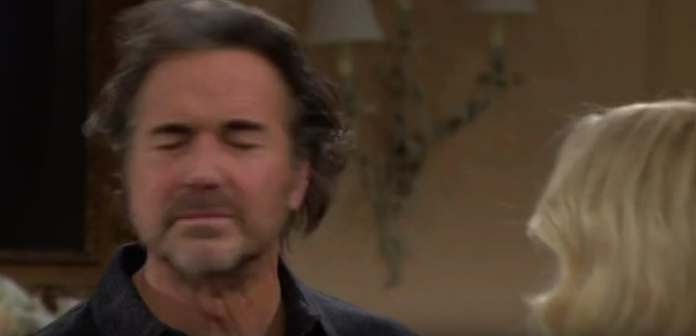
Another World - January 4th, 1989 A helping hand may be a knife in the back soon. I'm baaaaaaaaack! After a week of watching "Squid Game" and missing my Bay City friends, we are back! We watched this episode the other day, but this is the first time I'm taking the time to write this down. Today we have January 5th to watch in our schedule! So... let's begin shall we! In the aftermath of the restaurant fire, the police was looking for any evidence that may help their investigation. Pilara's guilty conscience led her back to Mary's house where she clumsily left the keys on the counter. Later in the day she came back only to raise suspicion when Vince asked her what she did on New Year's Eve. He then called the police and told them her name. Donna Hudson drove Jamie and Vicky insane with her wedding party planning. She did not stop blabbing idiotic ideas and dominating the entire conversation. Jamie ran away to his mommy and grandma and Vicky sprinted off to Amanda, feeling doubts about the wedding. Amanda calmed her down! These two girls are equally deluded at times. John, once again triggered by an intimate moment between him and Sharlene, was struck by another episode of PTSD. He immediately called Mary's office and asked for an appointment. I smell problems for him and Sharlene. In Amanda's apartment... Iris pitted mother against daughter while posing as a supporter for Amanda - opposing Rachel's concerns. "You always have a reason for what you do." That little smile on Iris's face when she smelled blood... (seeing Amanda think her mother is underestimating her) MADE ME SCREAM with laughter. I watch soap operas for these small moments and details. Carmen Duncan MADE THAT scene. And talking about Carmen, Iris finished the episode with once again fake-offering help to organize Donna's party. She was so nice, so friendly, but as soon as Donna left the room, Iris took their family photo and vowed to destroy their marriage. Ouch! Overall - 10 out of 10 - One of the best episodes so far. Best moment - Iris vs Rachel. Another World - January 4, 1989.mp4Stress-free work day. Easy breezy.It's already streaming. You can find it on Amazon prime to rent. ❤️That scene was... like for a quick moment... a near minute... we were back in classic Bold, when Bill Bell used to bring this magic in practically every other episode. I loved the dramatic contrast of Brooke gently holding his face, to then suddenly flip into rage. This is classic Brooke. Something we haven't seen in a looong time. The final moment... with her walking up in her stunning blue dress... getting to the door and pushing Fake-Taylor away like she is some kind of annoying mosquito... was the cherry on top. 🍒It's quite clear to me that a new romance/affair/something is brewing for Brooke. I just pray and hope to God it's not something from the past... like Nick, Thorne, Bill and etc. I think Brooke needs a completely NEW man. Someone we haven't seen before on the show. With the charm of Hollis, maybe a little older than Hollis... Or... why not little younger if Bradley wants to scandalize it. Nicole Kidman just had a huge hit movie with Babygirl - a story about a woman Brooke's age... who... is also a CEO btw, I just found that paralel, LOL, having an affair with a guy that is 30 years younger. So it's current, it's something people want to see right now. Maybe Bradley can Babygirl-the show up and give Brooke something fresh and meaty. A girl can only dream!The guys in this video. OMG.Absolute shame. This moment has been talked about so much, portrayed in movies and tv-shows... it would be soooo interesting to see it without the prism of someone else's imagination... I'm sure she was not as bad as they show her in the Mommie dearest movie... 🙈
.thumb.webp.ed99504b91d16b79921d6a576179e079.webp)
Important Information
By using this site, you agree to our Terms of Use and Privacy Policy

Account
Navigation
Search
Configure browser push notifications
Chrome (Android)
- Tap the lock icon next to the address bar.
- Tap Permissions → Notifications.
- Adjust your preference.
Chrome (Desktop)
- Click the padlock icon in the address bar.
- Select Site settings.
- Find Notifications and adjust your preference.
Safari (iOS 16.4+)
- Ensure the site is installed via Add to Home Screen.
- Open Settings App → Notifications.
- Find your app name and adjust your preference.
Safari (macOS)
- Go to Safari → Preferences.
- Click the Websites tab.
- Select Notifications in the sidebar.
- Find this website and adjust your preference.
Edge (Android)
- Tap the lock icon next to the address bar.
- Tap Permissions.
- Find Notifications and adjust your preference.
Edge (Desktop)
- Click the padlock icon in the address bar.
- Click Permissions for this site.
- Find Notifications and adjust your preference.
Firefox (Android)
- Go to Settings → Site permissions.
- Tap Notifications.
- Find this site in the list and adjust your preference.
Firefox (Desktop)
- Open Firefox Settings.
- Search for Notifications.
- Find this site in the list and adjust your preference.