






Soapsuds
Member
-
Joined
Everything posted by Soapsuds
-
 Yikes! Found out my cousin and his son have covid. Both have mild symptoms. Thank goodness he got vaccinated because he's very lazy when wearing a mask or avoiding big crowds.
 -
I don't recall seeing this. I wonder if it's a spoiler preview. I don't think it's aired.
-
I had to catch up on YouTube. I was watching it from the beginning but found it boring...didn't know about Bernando until recently so I started watching it again.
-
What?? He was up a set and break when I turned it off. I thought for sure he had it won.
Anybody watching?
Nope I wonder if she's not interested. He could've gotten in touch with her via ex Jay Hammer. I'd love to hear from her.
One Life to Live's Donnie Jeffcoat (Joey Buchanan) will join me live in The Locher Room on Thursday, August 5th at 3 p.m. EST / 12 p.m. PST. Donnie will be here to take a look back at his career in television and of course his time spent in Llaneview. Donnie will also tell us about his current role as Chief Instructor and owner of Shaolin American Self Defense Academy and his most important role to date as father to eight month old Willow. Sensei Donnie Jeffcoat started his martial arts training in the Fredrick J. Villari Kempo system in 1985. To add to his martial arts repertoire, he transferred to Professor Charles Materra's United Studios of Self-Defense system two years later. Since then, he has studied Shaolin Kempo and various other forms of martial arts, including but not limited to fight choreography. Donnie has been teaching Kenpō since 2006 and opened the Shaolin American Self-Defense Academy in 2011. He currently trains in American Kenpo and is a fifth degree black belt.
Sunisa Lee Claims Olympic Gold And Shows U.S. Gymnastics Has More Than 1 Superstar
Just 2 games Kei? Couldn't they get someone like John Amos as real Richard Williams?
New EJ
So I thought family wasn't allowed in the Olympics yet there is Tsisitpas mother and father in the stands. Huh? Gotta love Tsisitpas defeat and dramatic fall on court. Mary Carrillo and Rennae Stubbs trying to figure out what was going on was priceless. Tsisitpas making the funniest and weirdest faces was hilarious! Was he throwing up was he gagging.... Lord what a sight! The camera showing him looking up at someone while this was going on...😂😂😂😂
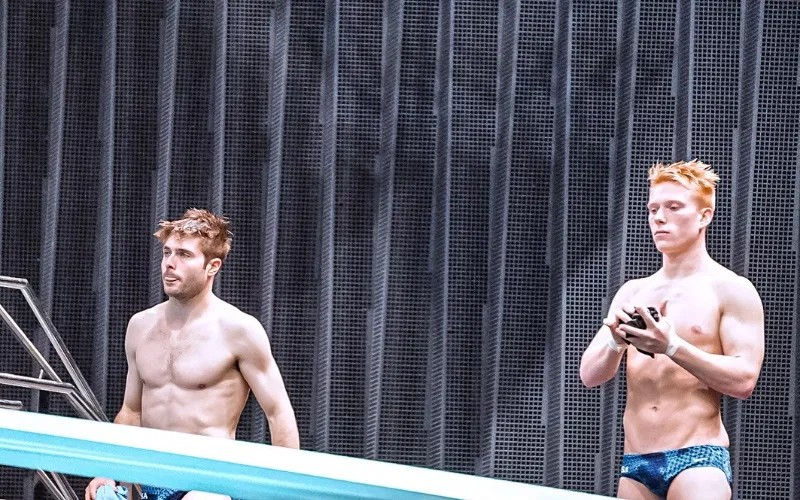
The USA men win silver in syncro diving. Michael Nixon and Andrew Capobianco @AbcNbc247 Michael Hixon lifting his coaches up In the air and not caring his trunks were falling off was a sight to see!! Eat your heart out Tom Daley😂 The British divers led by Jack Laugher completely fell apart.
 There was so much hype on Biles. Everywhere you turned she was on TV and everyone saying how great she was. No one to blame but the media.
Tonight is the men's springboard synchro finals. There is a USA team competing. It will be on USA network.
I do wonder if Days has already recast Sonny. Justin did mention Sonny was going to be his best man at his wedding.
He probably realized they were recasting Sonny and his ego wouldn't have it.
I saw the match last night. It was a treat to watch!😂
You mean Freddie Emmy reel at the 10:30 mark isn't strong enough?😂
There was so much hype on Biles. Everywhere you turned she was on TV and everyone saying how great she was. No one to blame but the media.
Tonight is the men's springboard synchro finals. There is a USA team competing. It will be on USA network.
I do wonder if Days has already recast Sonny. Justin did mention Sonny was going to be his best man at his wedding.
He probably realized they were recasting Sonny and his ego wouldn't have it.
I saw the match last night. It was a treat to watch!😂
You mean Freddie Emmy reel at the 10:30 mark isn't strong enough?😂

Important Information
By using this site, you agree to our Terms of Use and Privacy Policy

Account
Navigation
Search
Configure browser push notifications
Chrome (Android)
- Tap the lock icon next to the address bar.
- Tap Permissions → Notifications.
- Adjust your preference.
Chrome (Desktop)
- Click the padlock icon in the address bar.
- Select Site settings.
- Find Notifications and adjust your preference.
Safari (iOS 16.4+)
- Ensure the site is installed via Add to Home Screen.
- Open Settings App → Notifications.
- Find your app name and adjust your preference.
Safari (macOS)
- Go to Safari → Preferences.
- Click the Websites tab.
- Select Notifications in the sidebar.
- Find this website and adjust your preference.
Edge (Android)
- Tap the lock icon next to the address bar.
- Tap Permissions.
- Find Notifications and adjust your preference.
Edge (Desktop)
- Click the padlock icon in the address bar.
- Click Permissions for this site.
- Find Notifications and adjust your preference.
Firefox (Android)
- Go to Settings → Site permissions.
- Tap Notifications.
- Find this site in the list and adjust your preference.
Firefox (Desktop)
- Open Firefox Settings.
- Search for Notifications.
- Find this site in the list and adjust your preference.