.webp.b2bd5a73f37054cbda68ec7fe755f863.webp)
Maxim
Member
-
Joined
Everything posted by Maxim
-
This is disgusting.Me arriving at my mother-in-law's house... after promising my husband... I will act demure.Lana BananaThe freaking SoapNet trivia text box said that her actual name is Modesta Josephina. LOL. Here is the proof for you guys! 🤣 And they showed this text box maybe only once or twice... but the crazy ADHD people like me, who possess the talent of - hyperfocus... that remember details like these... get in trouble with mistakes like these. And how could I forget the name Modesta Josephina? If I have a cat one day... I'll definitely call her that. Come here, Modesta Josephina! 🐈
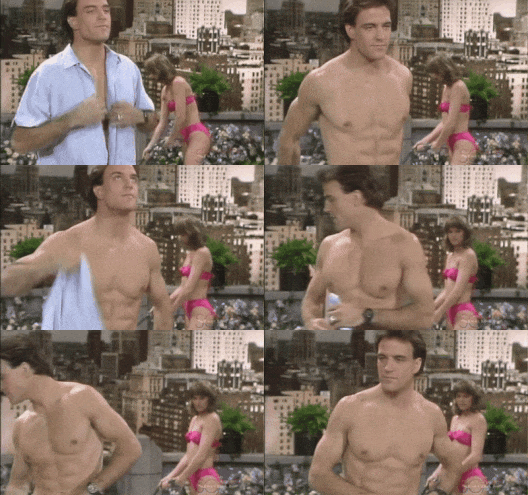
.thumb.png.c93587e65a2c6476ab9b38dcfe4a2225.png) Episode 5859 - July 20, 1987. Modesta's wedding got cancelled, of course. What masochistic portrayal of a woman who is being treated like trash... for making a mistake in the past. Yeah, she was a hooker, so what... So what? In 2024 she would have probably been celebrated for this and her fiancé would have opened her an onlyfans account to post that porn and earn some cash. The only thing they didn't make her do is self-flagellate with a whip... in front of the whole town. CRINGE. I did laugh out loud when Modesta told her mother - "I was a prostitute, mama! I was a hooker! I slept with men for money!" Maybe she should have added - I turned tricks and I slept with Johns! (she did in the previous episodes) Sorry, but the dramatic effect of these lines missed me. It was just too... direct and too simplistic... and cheap. Modesta has been repeating "I was a hooker" now for 4 episodes. I mean... okay, I guess, she's in a sort of a mental breakdown, but... that dialogue could have been a lot stronger and less masochistic. And in the end she ran into the huge strong arms of her former pimp - Chad-the-stud... Oh, Modesta, Modesta! Old habits die hard, darling. Positives - Mac was giving swag with his mustache through the whole episode! And finally - Rachel! I've been missing her! The episode felt like it was giving closure to a lot of things. I understand why they chose this period to start the show on SoapNet. It's right before the new storylines start shaping up. Overall 5.5/10! It's mediocre material, and I truly hope they are moving on from this Modesta storyline. The 0.5 added bonus is just for Mac's mustache and Rachel's beautiful eyes!
Episode 5859 - July 20, 1987. Modesta's wedding got cancelled, of course. What masochistic portrayal of a woman who is being treated like trash... for making a mistake in the past. Yeah, she was a hooker, so what... So what? In 2024 she would have probably been celebrated for this and her fiancé would have opened her an onlyfans account to post that porn and earn some cash. The only thing they didn't make her do is self-flagellate with a whip... in front of the whole town. CRINGE. I did laugh out loud when Modesta told her mother - "I was a prostitute, mama! I was a hooker! I slept with men for money!" Maybe she should have added - I turned tricks and I slept with Johns! (she did in the previous episodes) Sorry, but the dramatic effect of these lines missed me. It was just too... direct and too simplistic... and cheap. Modesta has been repeating "I was a hooker" now for 4 episodes. I mean... okay, I guess, she's in a sort of a mental breakdown, but... that dialogue could have been a lot stronger and less masochistic. And in the end she ran into the huge strong arms of her former pimp - Chad-the-stud... Oh, Modesta, Modesta! Old habits die hard, darling. Positives - Mac was giving swag with his mustache through the whole episode! And finally - Rachel! I've been missing her! The episode felt like it was giving closure to a lot of things. I understand why they chose this period to start the show on SoapNet. It's right before the new storylines start shaping up. Overall 5.5/10! It's mediocre material, and I truly hope they are moving on from this Modesta storyline. The 0.5 added bonus is just for Mac's mustache and Rachel's beautiful eyes!.thumb.png.dd4f791e5ca4a7a2ffe1c63d874e33db.png)
.thumb.png.feb474458f871b7a1a2e3b00a00666fa.png)
.thumb.png.6992c363baa321a3ce0f6aaea73cbd54.png) Finished with work for the day.That must have been one hell of a dream. ❤️ I want a dream like that too. I'll play myself... and help Chad... wean himself off his bad ways. 😈 (if my husband is reading - I am only joking... Don't return my Christmas presents! I deserve them.) Btw... Vicky and her 37 000 dollars of a hotel bill! Anna Delvey - learn from this! 🤣Will is the most boring character ever. Like... He makes me fall asleep. I'm just not into it at all. Electra adds another layer of basic unnecessary we've seen it a million times already we are bored make it go away... Vibe. The show is unwatchable and I'm kinda out. I prefer spending my time watching quality shows like Another World and Edge of night. Maybe if Brooke sleeps with Finn... Or Bradley Bell fires himself... Then call me.
Finished with work for the day.That must have been one hell of a dream. ❤️ I want a dream like that too. I'll play myself... and help Chad... wean himself off his bad ways. 😈 (if my husband is reading - I am only joking... Don't return my Christmas presents! I deserve them.) Btw... Vicky and her 37 000 dollars of a hotel bill! Anna Delvey - learn from this! 🤣Will is the most boring character ever. Like... He makes me fall asleep. I'm just not into it at all. Electra adds another layer of basic unnecessary we've seen it a million times already we are bored make it go away... Vibe. The show is unwatchable and I'm kinda out. I prefer spending my time watching quality shows like Another World and Edge of night. Maybe if Brooke sleeps with Finn... Or Bradley Bell fires himself... Then call me.Important Information
By using this site, you agree to our Terms of Use and Privacy Policy

Account
Navigation
Search
Configure browser push notifications
Chrome (Android)
- Tap the lock icon next to the address bar.
- Tap Permissions → Notifications.
- Adjust your preference.
Chrome (Desktop)
- Click the padlock icon in the address bar.
- Select Site settings.
- Find Notifications and adjust your preference.
Safari (iOS 16.4+)
- Ensure the site is installed via Add to Home Screen.
- Open Settings App → Notifications.
- Find your app name and adjust your preference.
Safari (macOS)
- Go to Safari → Preferences.
- Click the Websites tab.
- Select Notifications in the sidebar.
- Find this website and adjust your preference.
Edge (Android)
- Tap the lock icon next to the address bar.
- Tap Permissions.
- Find Notifications and adjust your preference.
Edge (Desktop)
- Click the padlock icon in the address bar.
- Click Permissions for this site.
- Find Notifications and adjust your preference.
Firefox (Android)
- Go to Settings → Site permissions.
- Tap Notifications.
- Find this site in the list and adjust your preference.
Firefox (Desktop)
- Open Firefox Settings.
- Search for Notifications.
- Find this site in the list and adjust your preference.
.thumb.webp.ed99504b91d16b79921d6a576179e079.webp)
.png.d878018c853aaa77ab487b8176649c35.png)
.png.495c156126dbcb0d17b197a358c9713f.png)
.png.caff1e7ee8231d59d7b592373e471129.png)
.png.13454aa914e76f212ed9b29ee69d85c8.png)