






Soapsuds
Member
-
Joined
Everything posted by Soapsuds
-
 The commercials on Prime annoyed me. No more interruptions.. Now if they would release the rest of the seasons of Falcon Crest digitally. It is the last one I need to complete my collection. I have Dallas and Dynasty digitally as well.
The picture quality is on par with the Amazon Prime episodes. I have seen several episodes from different seasons, and so far the previews are intact.
This is great news! Even off camera Ben Gavin has zero personality! We love you too, Mike Manning..😂😍
On May 12, 1989, the Dynasty series finale aired.
The commercials on Prime annoyed me. No more interruptions.. Now if they would release the rest of the seasons of Falcon Crest digitally. It is the last one I need to complete my collection. I have Dallas and Dynasty digitally as well.
The picture quality is on par with the Amazon Prime episodes. I have seen several episodes from different seasons, and so far the previews are intact.
This is great news! Even off camera Ben Gavin has zero personality! We love you too, Mike Manning..😂😍
On May 12, 1989, the Dynasty series finale aired. I took the plunge and bought the entire series from Apple TV+.
The Golden Girls
Wow, nice! Thirty-eight dollars, though, but I'd probably buy it.😂
I see a pattern here.😂
New interview!! I was like Penny, aka Janet, and said, "That's the end???"
New Tomas pleaseeeeeeee!!
I took the plunge and bought the entire series from Apple TV+.
The Golden Girls
Wow, nice! Thirty-eight dollars, though, but I'd probably buy it.😂
I see a pattern here.😂
New interview!! I was like Penny, aka Janet, and said, "That's the end???"
New Tomas pleaseeeeeeee!! Today's episode was serviceable, but the cliffhangers were disappointing!
So limited that he was on Dynasty and AMC.😋
For some reason, Tomas reminds me of a younger Dimitri from AMC.
I'm about to watch Wednesday episode of this week. Things that piqued my interest so far.... Doug of course. He is so yummy but Tate looked good too. The new doctor and EJ, what are they up to? Why was that mysterious photographer taking pictures of Doug and Holly? Loving the new doctor, former Alan Michael on Guiding Light.
Dear Paula Cwikly and Jeanne Marie Ford, Please write out the character of Leo Stark. It would be greatly appreciated. Sincerely, Soapsuds
I'm sure he'll get a miracle cure. They say there's nothing they can do for Liam but that bullshit.
How old is June supposed to be?
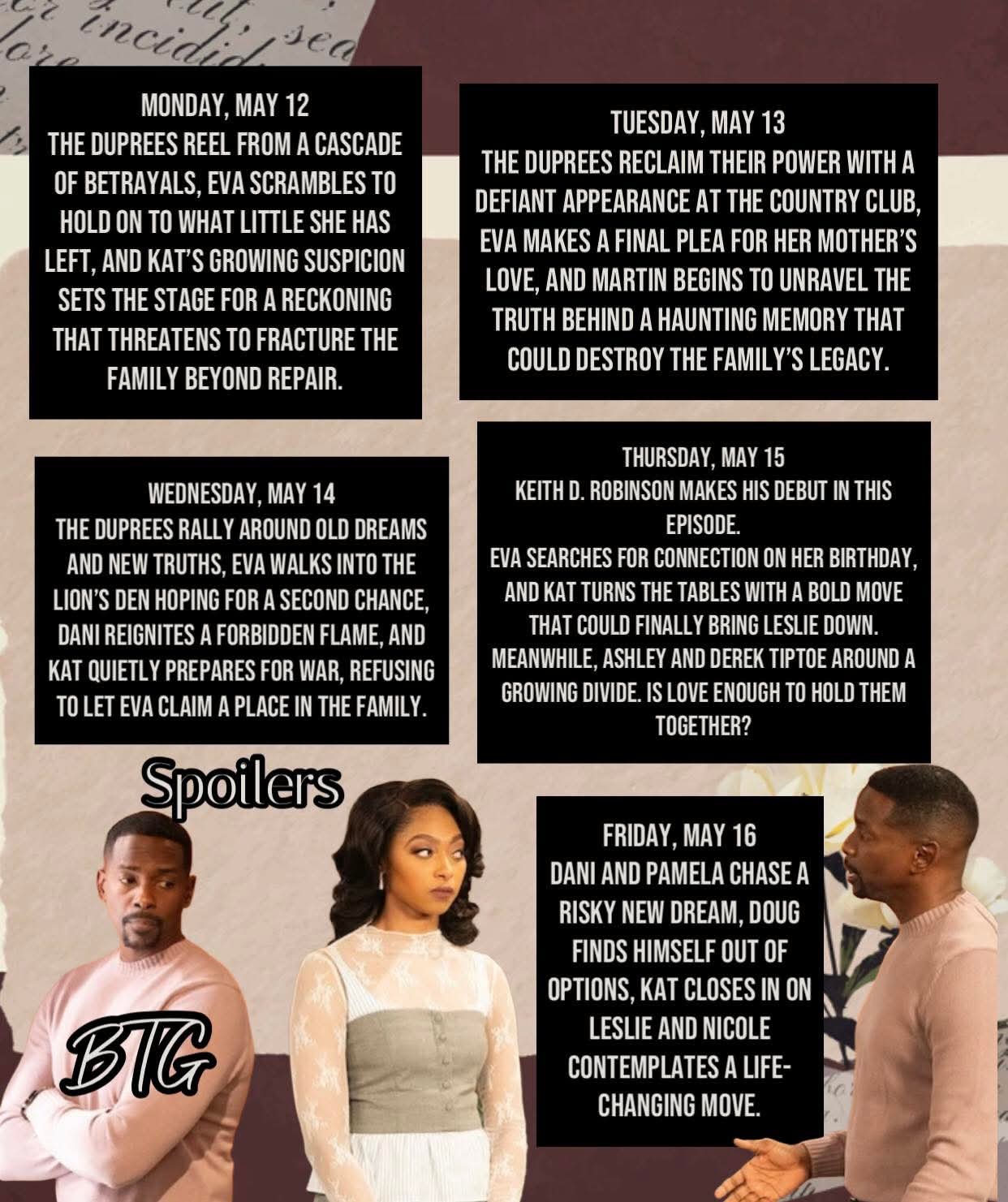
Smitty: What is Martin hiding from me? Love it!
Damn, Leslie is going to make Eva take the fall for Laura's accident!
All the episodes actually look the same. They really are all repeats with the same dialogue.
Today's episode was serviceable, but the cliffhangers were disappointing!
So limited that he was on Dynasty and AMC.😋
For some reason, Tomas reminds me of a younger Dimitri from AMC.
I'm about to watch Wednesday episode of this week. Things that piqued my interest so far.... Doug of course. He is so yummy but Tate looked good too. The new doctor and EJ, what are they up to? Why was that mysterious photographer taking pictures of Doug and Holly? Loving the new doctor, former Alan Michael on Guiding Light.
Dear Paula Cwikly and Jeanne Marie Ford, Please write out the character of Leo Stark. It would be greatly appreciated. Sincerely, Soapsuds
I'm sure he'll get a miracle cure. They say there's nothing they can do for Liam but that bullshit.
How old is June supposed to be?
Smitty: What is Martin hiding from me? Love it!
Damn, Leslie is going to make Eva take the fall for Laura's accident!
All the episodes actually look the same. They really are all repeats with the same dialogue.
Important Information
By using this site, you agree to our Terms of Use and Privacy Policy

Account
Navigation
Search
Configure browser push notifications
Chrome (Android)
- Tap the lock icon next to the address bar.
- Tap Permissions → Notifications.
- Adjust your preference.
Chrome (Desktop)
- Click the padlock icon in the address bar.
- Select Site settings.
- Find Notifications and adjust your preference.
Safari (iOS 16.4+)
- Ensure the site is installed via Add to Home Screen.
- Open Settings App → Notifications.
- Find your app name and adjust your preference.
Safari (macOS)
- Go to Safari → Preferences.
- Click the Websites tab.
- Select Notifications in the sidebar.
- Find this website and adjust your preference.
Edge (Android)
- Tap the lock icon next to the address bar.
- Tap Permissions.
- Find Notifications and adjust your preference.
Edge (Desktop)
- Click the padlock icon in the address bar.
- Click Permissions for this site.
- Find Notifications and adjust your preference.
Firefox (Android)
- Go to Settings → Site permissions.
- Tap Notifications.
- Find this site in the list and adjust your preference.
Firefox (Desktop)
- Open Firefox Settings.
- Search for Notifications.
- Find this site in the list and adjust your preference.