I Am A Swede
Member
-
Joined
-
Last visited
Everything posted by I Am A Swede
-
 I have to give credit where credit is due, they really surprised me with this latest death. Disappointed that it wasn't a Dingle this time either, but still surprised. I guess it depends on if you feel benevolent or cynical if you see it as an homage to or a blatant rip-off of Frank Tate's death.
That's true. Thank heaven for small mercies.
I think most people had Joe as one of two options for who Kim's enemy was (the other option being Jamie). And as usual they are going overboard in their promoting of his return. Ned Porteous had this to say: And producer Laura Shaw added: My reaction:
I have to give credit where credit is due, they really surprised me with this latest death. Disappointed that it wasn't a Dingle this time either, but still surprised. I guess it depends on if you feel benevolent or cynical if you see it as an homage to or a blatant rip-off of Frank Tate's death.
That's true. Thank heaven for small mercies.
I think most people had Joe as one of two options for who Kim's enemy was (the other option being Jamie). And as usual they are going overboard in their promoting of his return. Ned Porteous had this to say: And producer Laura Shaw added: My reaction: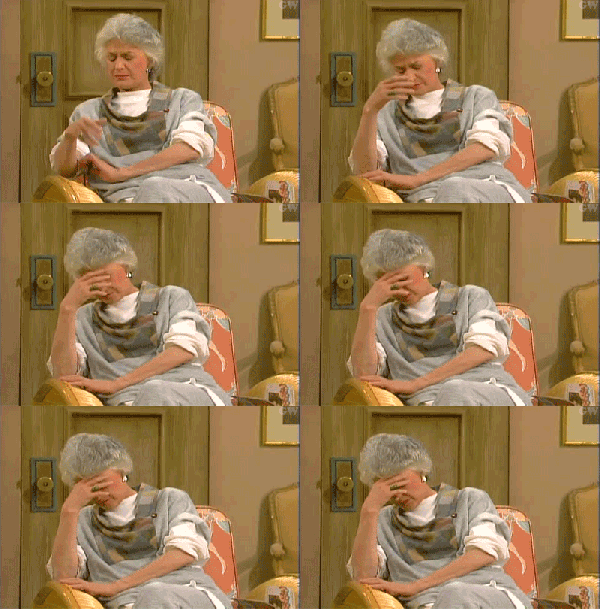 I would actually not be that surprised if Eric comes around and supports Brooke. He may not like Carter and Hope's takeover, but he's always had a soft spot for Brooke and supported her. When he finds out her reason for accepting the CEO spot and how Ridge couldn't wait to get it on with Taylor he might switch sides.
I just wish they could have waited a little while before jumping into another dark, disturbing story like sexual abuse after this year has been dominated by the domestic abuse story. A little reprieve over Christmas would have been nice.
You see it you way, and I see it my way. Let's leave it at that. I also hope that Brooke throws it in Ridge's face that she took the job as CEO with a plan to get the company back for the family, but since he runs to Taylor every time his little feelings are ruffled and won't let her explain (just like with the call to CPS) he can forget that. Now she's in charge and will stay in charge.
TCM always put out great "In Memoriam" videos. It's sad to see how many greats we've lost this year, but I fear that that is going to be a recurring theme going forward.
Emmerdale is such a fun, light-hearted show nowadays, isn't it..... They jump straight from a long storyline about domestic abuse to a story about sexual abuse, while also simultaneously telling stories about a brain tumour, the effects of Parkinson's disease while also revisiting the tragic death of longtime character Donna Windsor and the effects on her daughter. And why did they bring Ross back just to regress him like this? Happy Holidays! 🎄
I would actually not be that surprised if Eric comes around and supports Brooke. He may not like Carter and Hope's takeover, but he's always had a soft spot for Brooke and supported her. When he finds out her reason for accepting the CEO spot and how Ridge couldn't wait to get it on with Taylor he might switch sides.
I just wish they could have waited a little while before jumping into another dark, disturbing story like sexual abuse after this year has been dominated by the domestic abuse story. A little reprieve over Christmas would have been nice.
You see it you way, and I see it my way. Let's leave it at that. I also hope that Brooke throws it in Ridge's face that she took the job as CEO with a plan to get the company back for the family, but since he runs to Taylor every time his little feelings are ruffled and won't let her explain (just like with the call to CPS) he can forget that. Now she's in charge and will stay in charge.
TCM always put out great "In Memoriam" videos. It's sad to see how many greats we've lost this year, but I fear that that is going to be a recurring theme going forward.
Emmerdale is such a fun, light-hearted show nowadays, isn't it..... They jump straight from a long storyline about domestic abuse to a story about sexual abuse, while also simultaneously telling stories about a brain tumour, the effects of Parkinson's disease while also revisiting the tragic death of longtime character Donna Windsor and the effects on her daughter. And why did they bring Ross back just to regress him like this? Happy Holidays! 🎄
Important Information
By using this site, you agree to our Terms of Use and Privacy Policy

Account
Navigation
Search
Configure browser push notifications
Chrome (Android)
- Tap the lock icon next to the address bar.
- Tap Permissions → Notifications.
- Adjust your preference.
Chrome (Desktop)
- Click the padlock icon in the address bar.
- Select Site settings.
- Find Notifications and adjust your preference.
Safari (iOS 16.4+)
- Ensure the site is installed via Add to Home Screen.
- Open Settings App → Notifications.
- Find your app name and adjust your preference.
Safari (macOS)
- Go to Safari → Preferences.
- Click the Websites tab.
- Select Notifications in the sidebar.
- Find this website and adjust your preference.
Edge (Android)
- Tap the lock icon next to the address bar.
- Tap Permissions.
- Find Notifications and adjust your preference.
Edge (Desktop)
- Click the padlock icon in the address bar.
- Click Permissions for this site.
- Find Notifications and adjust your preference.
Firefox (Android)
- Go to Settings → Site permissions.
- Tap Notifications.
- Find this site in the list and adjust your preference.
Firefox (Desktop)
- Open Firefox Settings.
- Search for Notifications.
- Find this site in the list and adjust your preference.