I Am A Swede
Member
-
Joined
-
Last visited
Everything posted by I Am A Swede
-
 ^^ If that was all it took then the whole village would be full of drugged up zombies considering all the tragedies that has happened there. The reason it feels so sudden is there has been no hint before that Leyla was doing any kind of drugs. If there has been then I have missed it. It was just like wham...bam....Leyla's a drug addict. And it must have gone on for some time. How else would she know where to get drugs? A tiny village in rural Yorkshire is not exactly a place where I would expect to find a whole lot of drugs and/or drug suppliers circulating to provide easy access for beginners.
More trouble for Boris Johnson... Boris Johnson fights on but hit by new wave of resignations
It's disgusting, plain and simple.
What do you want them to do? And what happened to "innocent until proven guilty"? Just to clarify, I'm not saying he is innocent, just that none of us can be sure one way or the other.
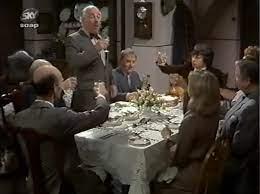
43 years ago today Emmerdale Farm aired its last episode of the 1970s. Due to a strike at ITV the show didn't return until January 1980. Coincidentally it was also the final episode for Katharine Barker, the original Dolly Skilbeck. Oddly enough watching it now it could almost have served as a final episode for the show. It really feels like the end of an era.
I'm sure new stars will emerge, they always do. It's just that Federer, Nadal, the Williams sisters etc have been around so long now that it's become hard to imagine tennis without them.
I wonder if the writers of Emmerdale knew about this, because it's exactly what they did with Chris Tate. (I realize this quote is ridiculously late, like almost 10 years late, but better late than never.... )
^^ If that was all it took then the whole village would be full of drugged up zombies considering all the tragedies that has happened there. The reason it feels so sudden is there has been no hint before that Leyla was doing any kind of drugs. If there has been then I have missed it. It was just like wham...bam....Leyla's a drug addict. And it must have gone on for some time. How else would she know where to get drugs? A tiny village in rural Yorkshire is not exactly a place where I would expect to find a whole lot of drugs and/or drug suppliers circulating to provide easy access for beginners.
More trouble for Boris Johnson... Boris Johnson fights on but hit by new wave of resignations
It's disgusting, plain and simple.
What do you want them to do? And what happened to "innocent until proven guilty"? Just to clarify, I'm not saying he is innocent, just that none of us can be sure one way or the other.
43 years ago today Emmerdale Farm aired its last episode of the 1970s. Due to a strike at ITV the show didn't return until January 1980. Coincidentally it was also the final episode for Katharine Barker, the original Dolly Skilbeck. Oddly enough watching it now it could almost have served as a final episode for the show. It really feels like the end of an era.
I'm sure new stars will emerge, they always do. It's just that Federer, Nadal, the Williams sisters etc have been around so long now that it's become hard to imagine tennis without them.
I wonder if the writers of Emmerdale knew about this, because it's exactly what they did with Chris Tate. (I realize this quote is ridiculously late, like almost 10 years late, but better late than never.... )
Important Information
By using this site, you agree to our Terms of Use and Privacy Policy

Account
Navigation
Search
Configure browser push notifications
Chrome (Android)
- Tap the lock icon next to the address bar.
- Tap Permissions → Notifications.
- Adjust your preference.
Chrome (Desktop)
- Click the padlock icon in the address bar.
- Select Site settings.
- Find Notifications and adjust your preference.
Safari (iOS 16.4+)
- Ensure the site is installed via Add to Home Screen.
- Open Settings App → Notifications.
- Find your app name and adjust your preference.
Safari (macOS)
- Go to Safari → Preferences.
- Click the Websites tab.
- Select Notifications in the sidebar.
- Find this website and adjust your preference.
Edge (Android)
- Tap the lock icon next to the address bar.
- Tap Permissions.
- Find Notifications and adjust your preference.
Edge (Desktop)
- Click the padlock icon in the address bar.
- Click Permissions for this site.
- Find Notifications and adjust your preference.
Firefox (Android)
- Go to Settings → Site permissions.
- Tap Notifications.
- Find this site in the list and adjust your preference.
Firefox (Desktop)
- Open Firefox Settings.
- Search for Notifications.
- Find this site in the list and adjust your preference.