





VanessaReardon
Banned - Not Active
-
Joined
-
Last visited
Everything posted by VanessaReardon
-
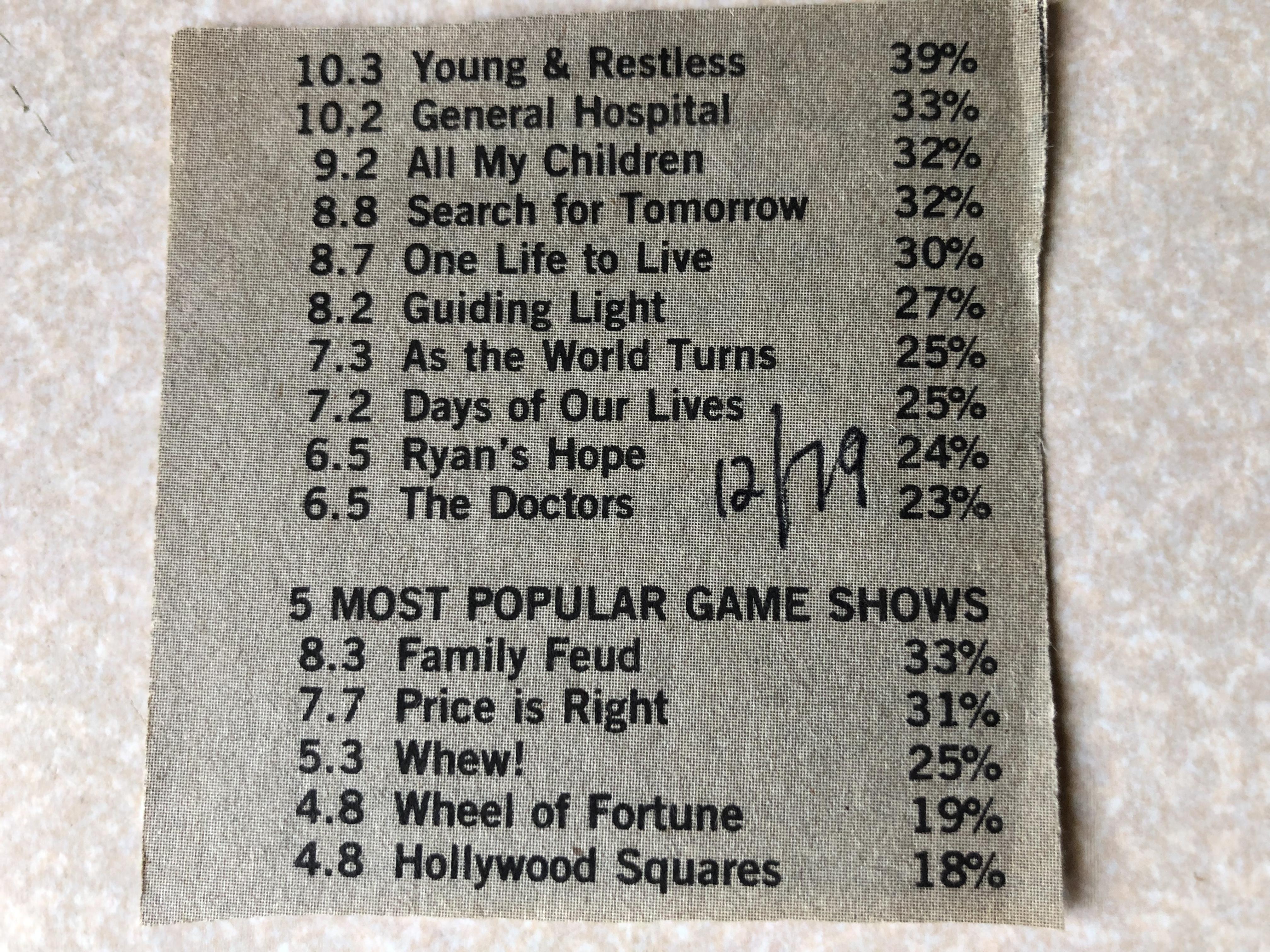
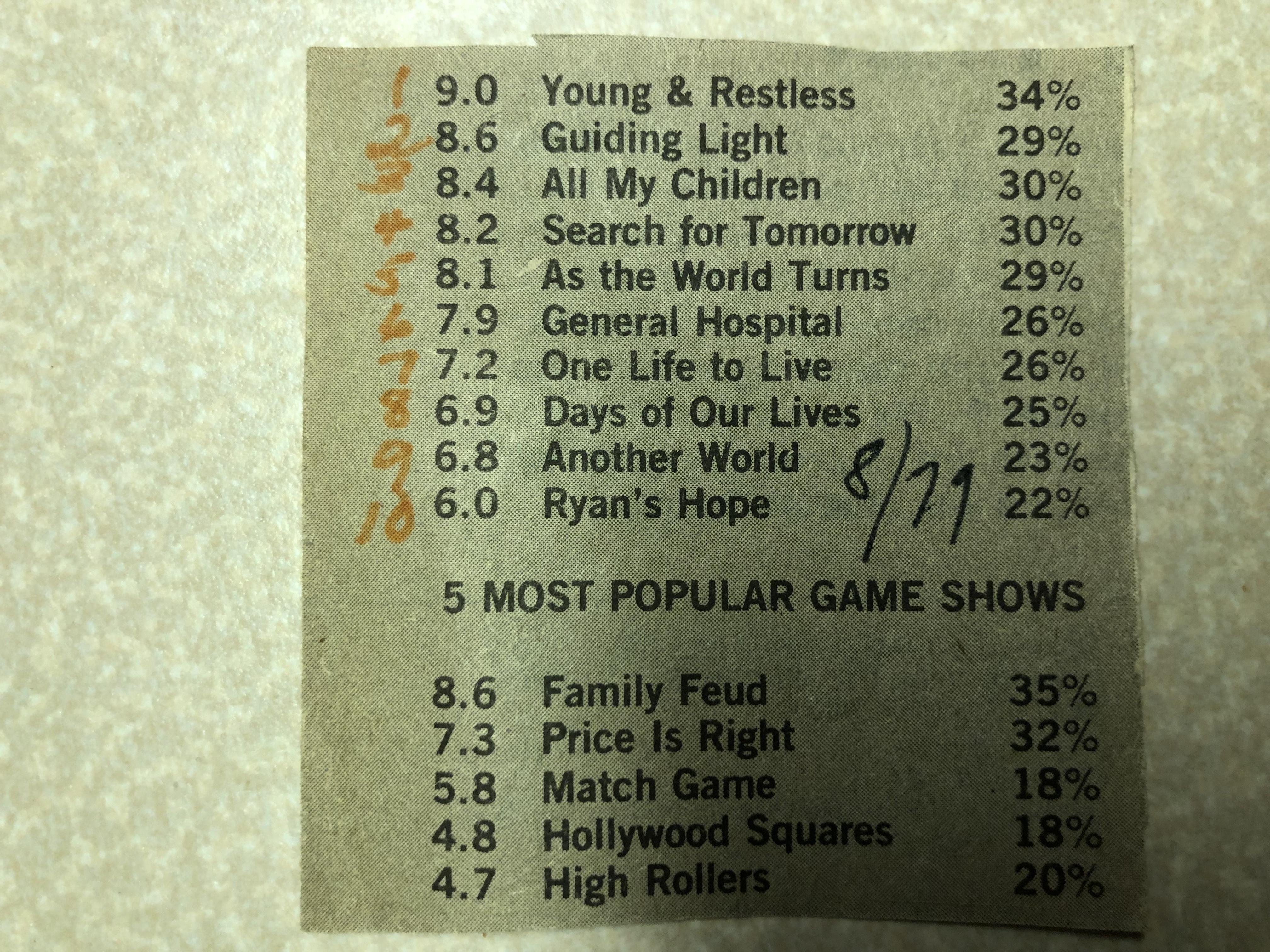
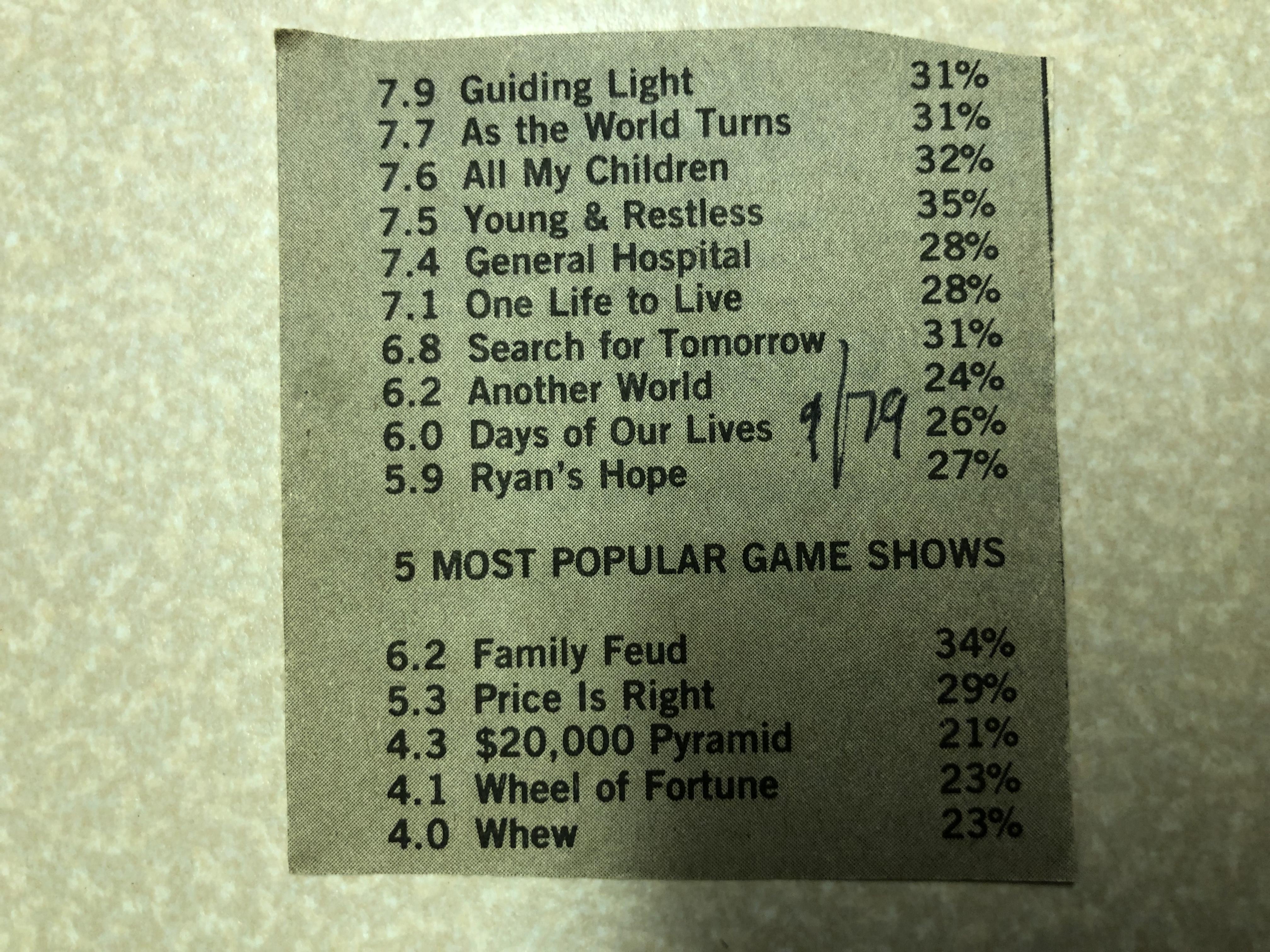
While I’m not sure exactly what week the ratings represent, the 12/79 issue of Daytime TV shows that The Doctors bumped Another World out of the Top 10.
-
I’m lucky that I get to see the show on Retro. Peggy Cass just started and god is the character annoying. lol I hope Sweeney mellows out. She’s so overbearing.
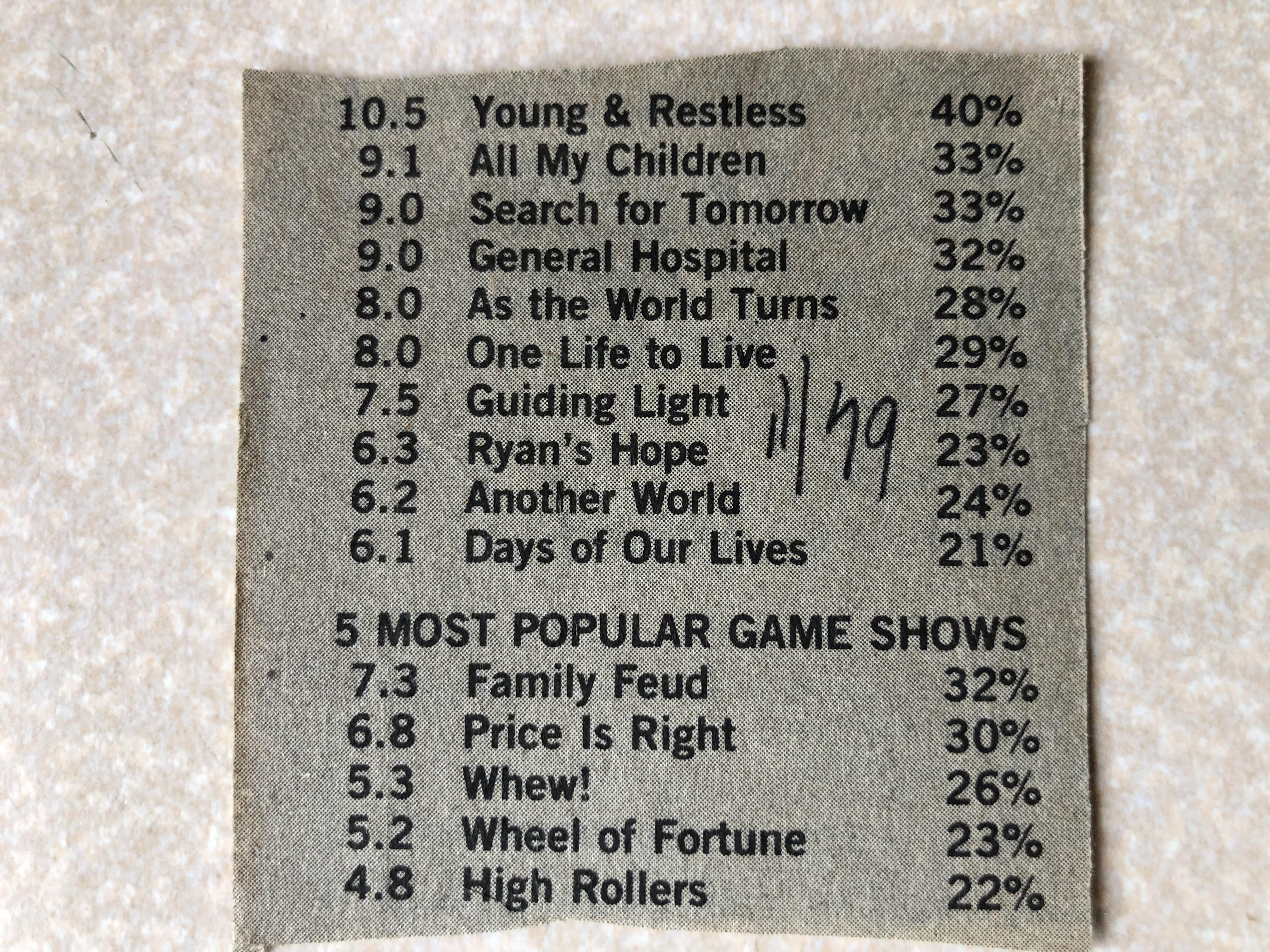
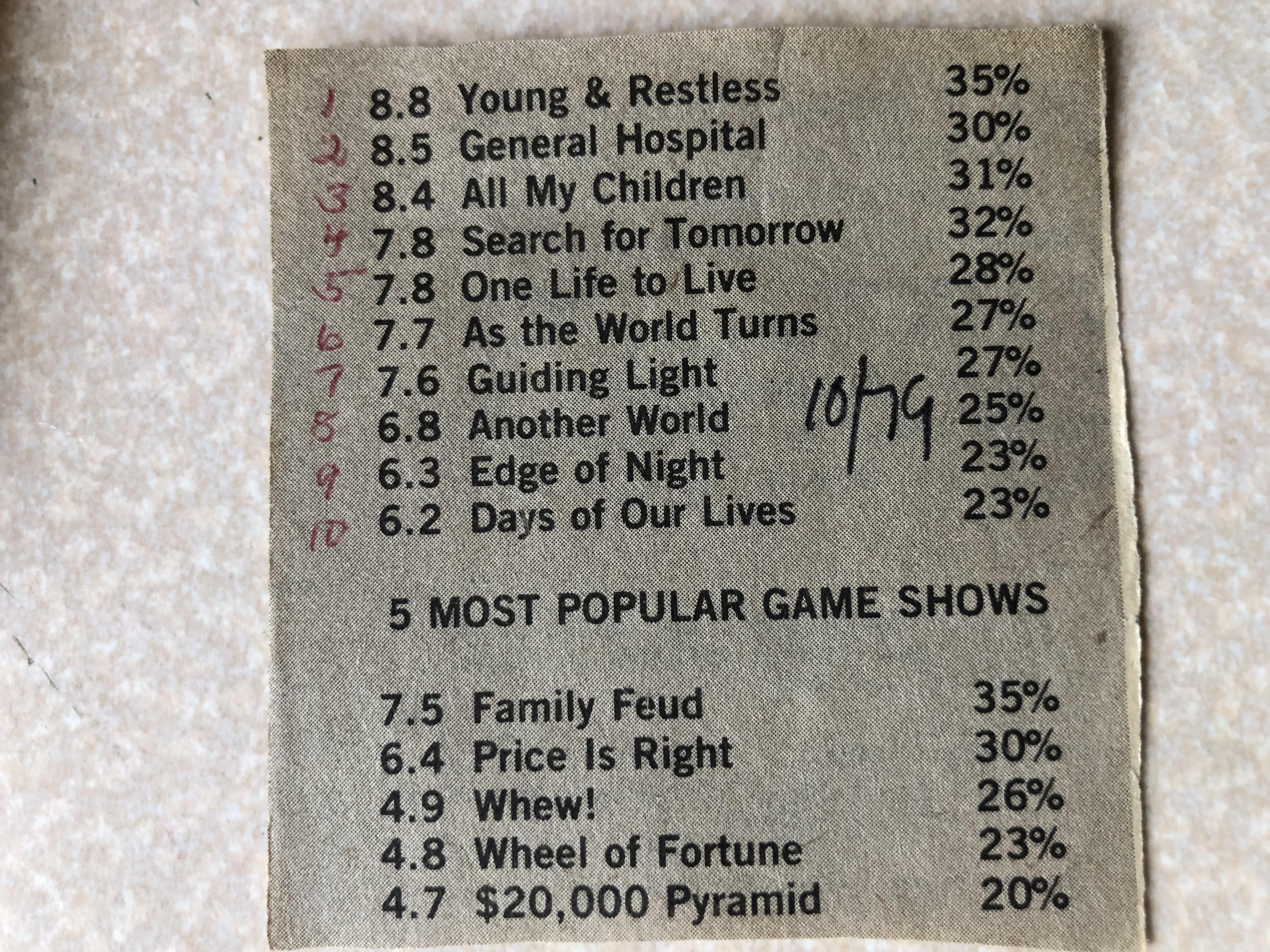
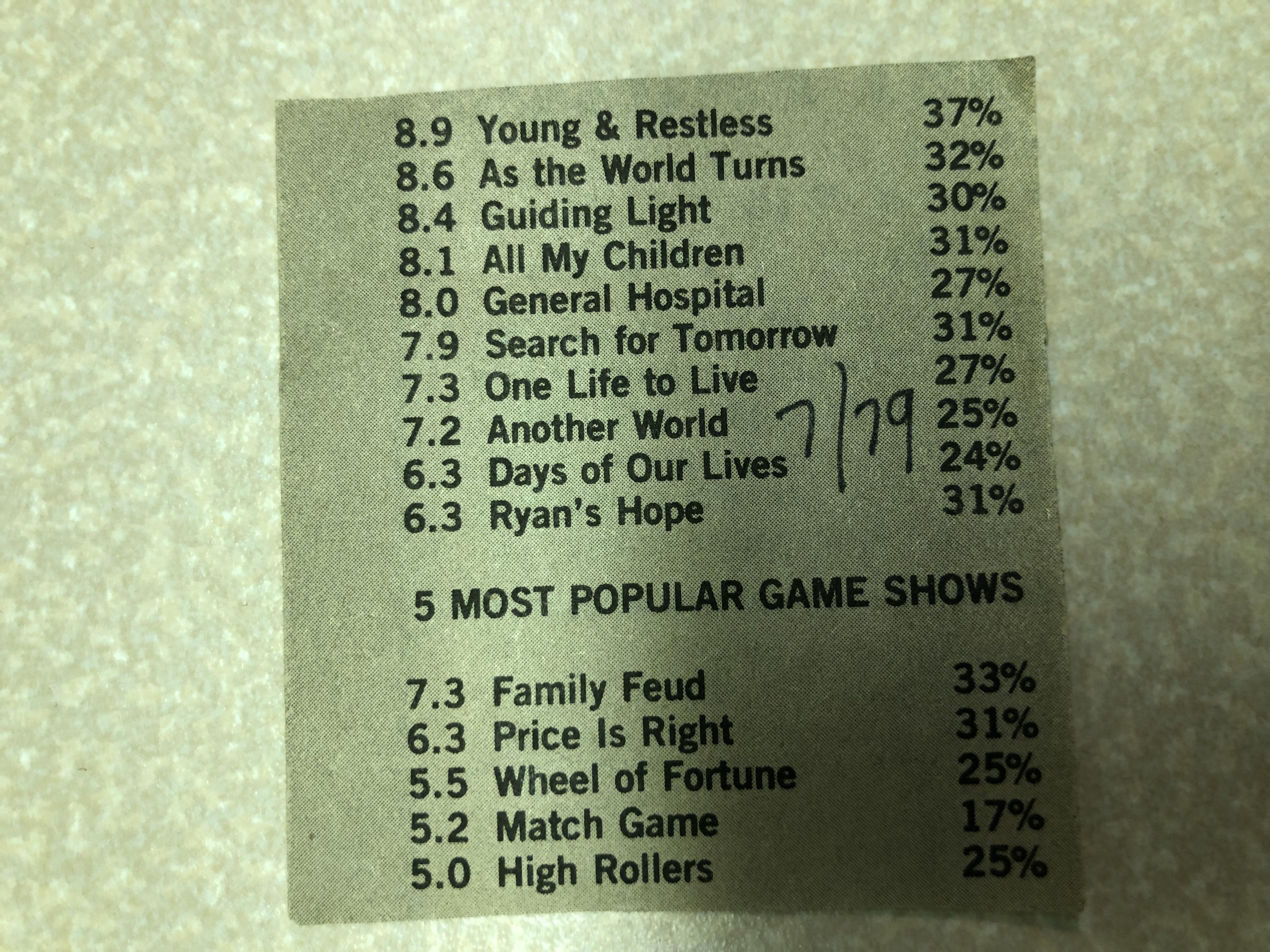
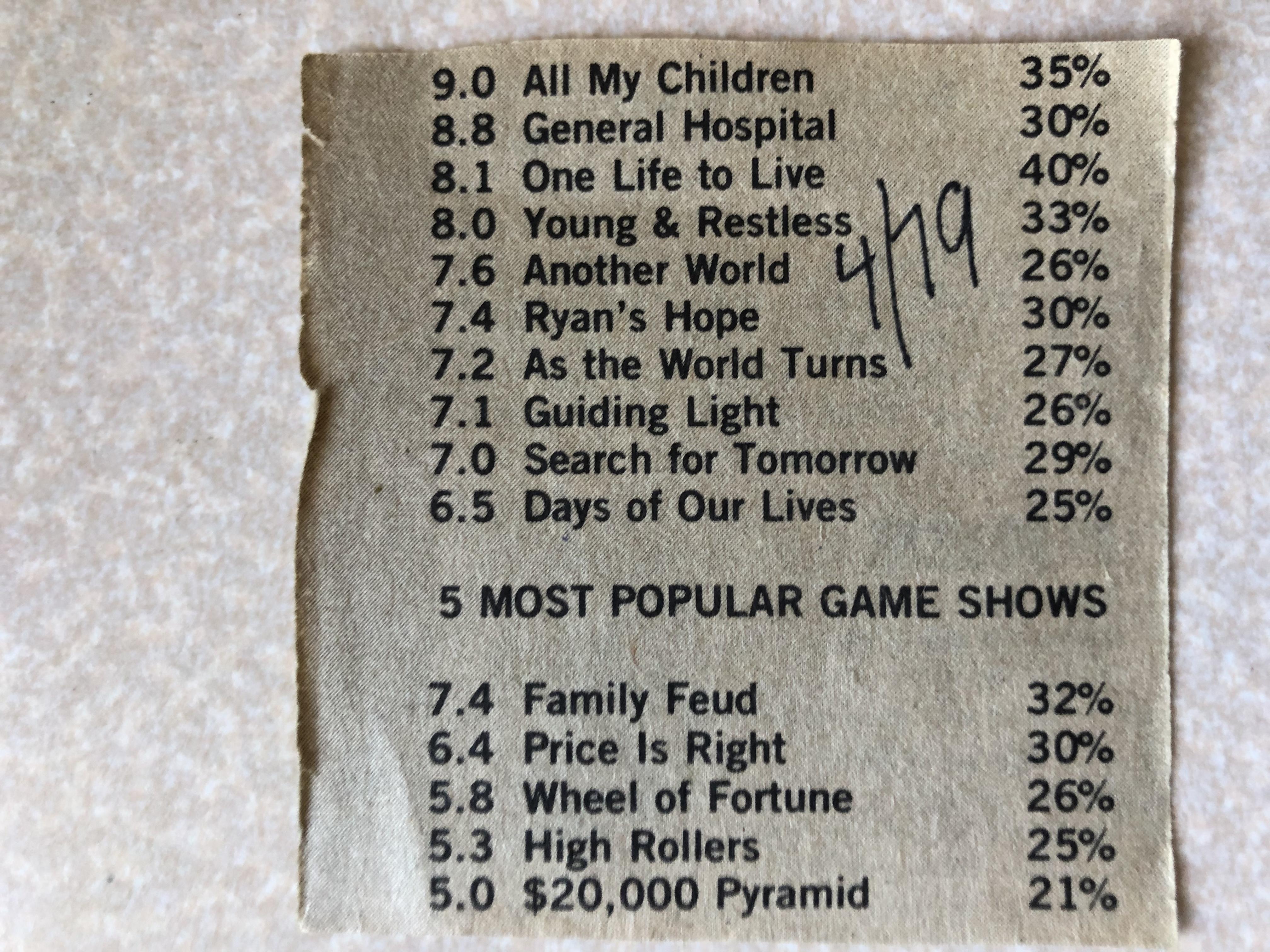
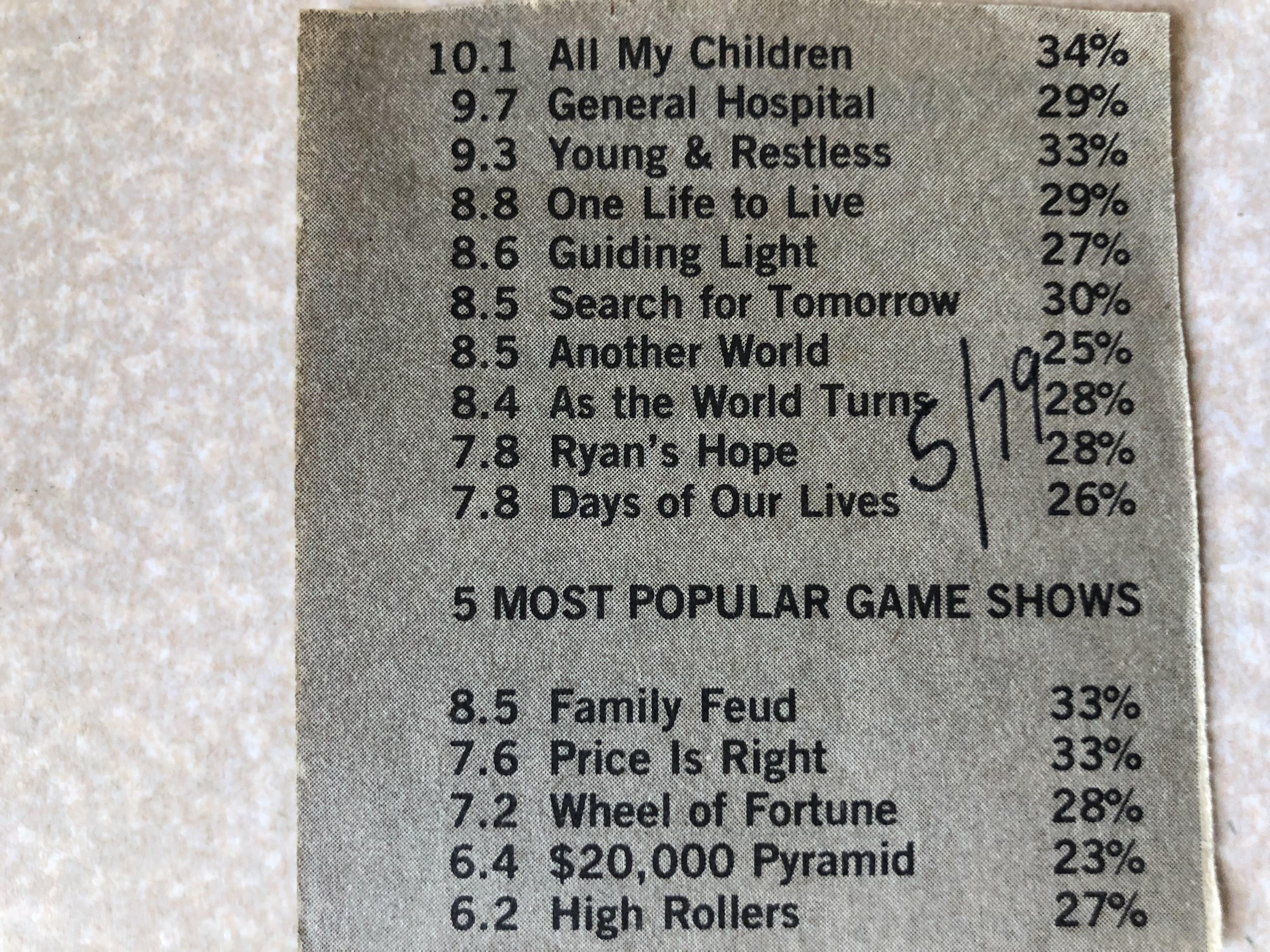
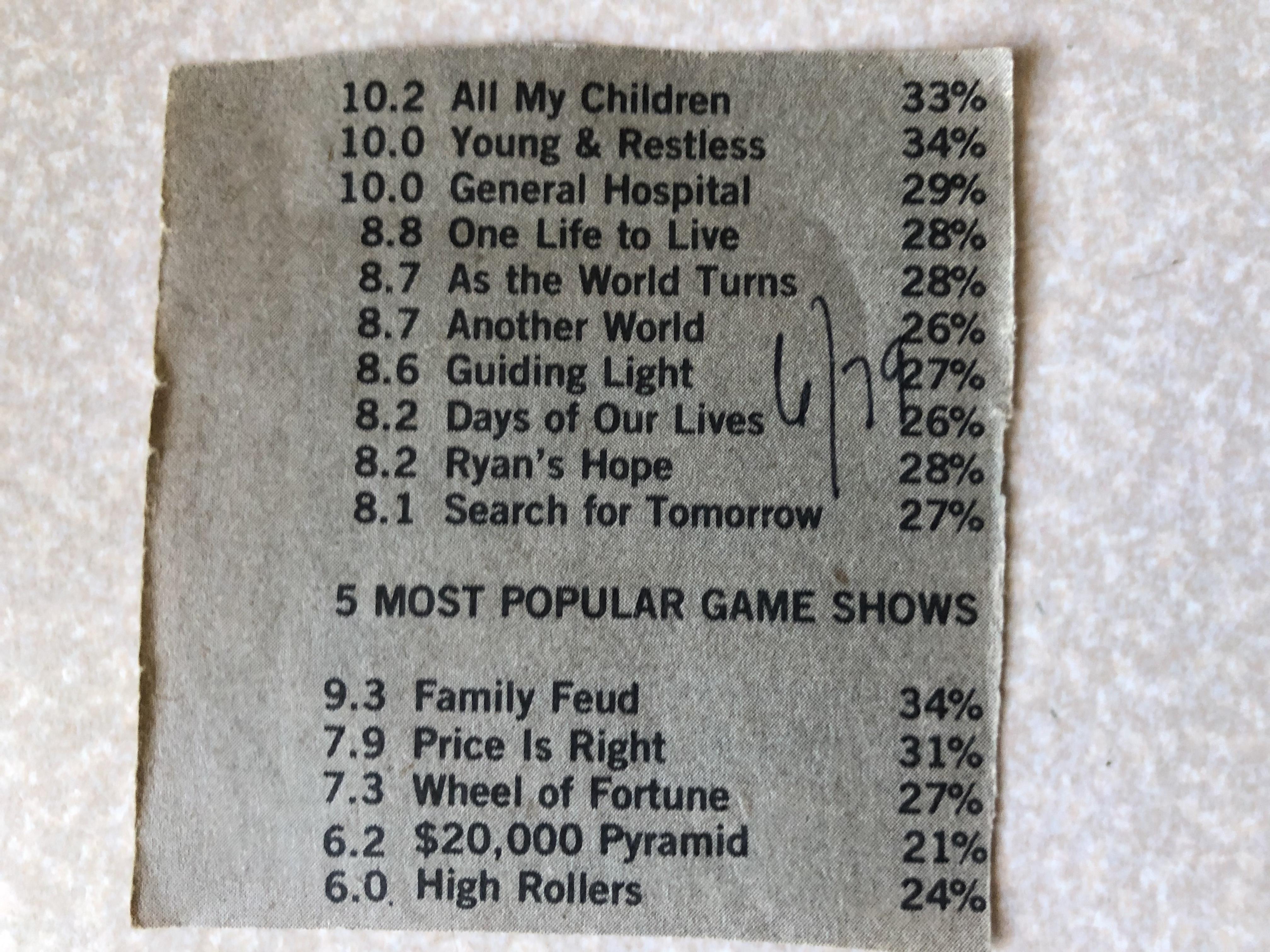
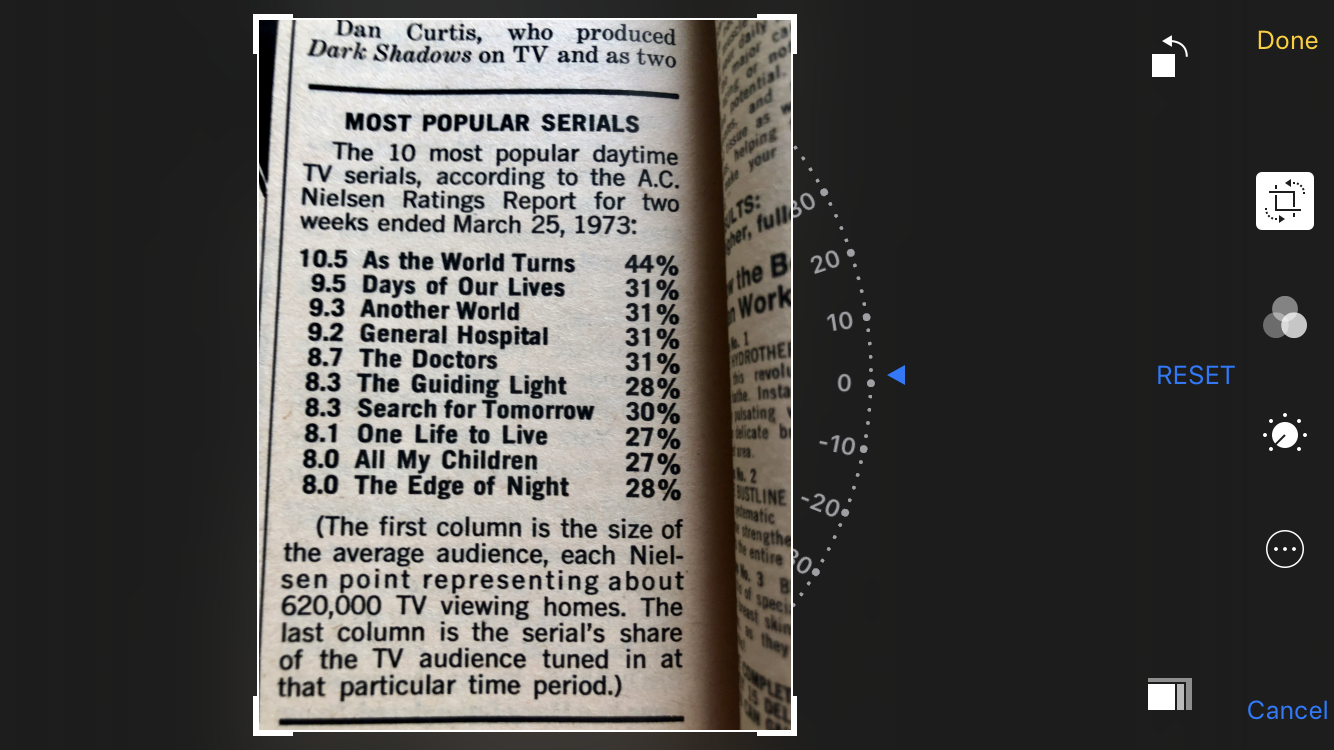
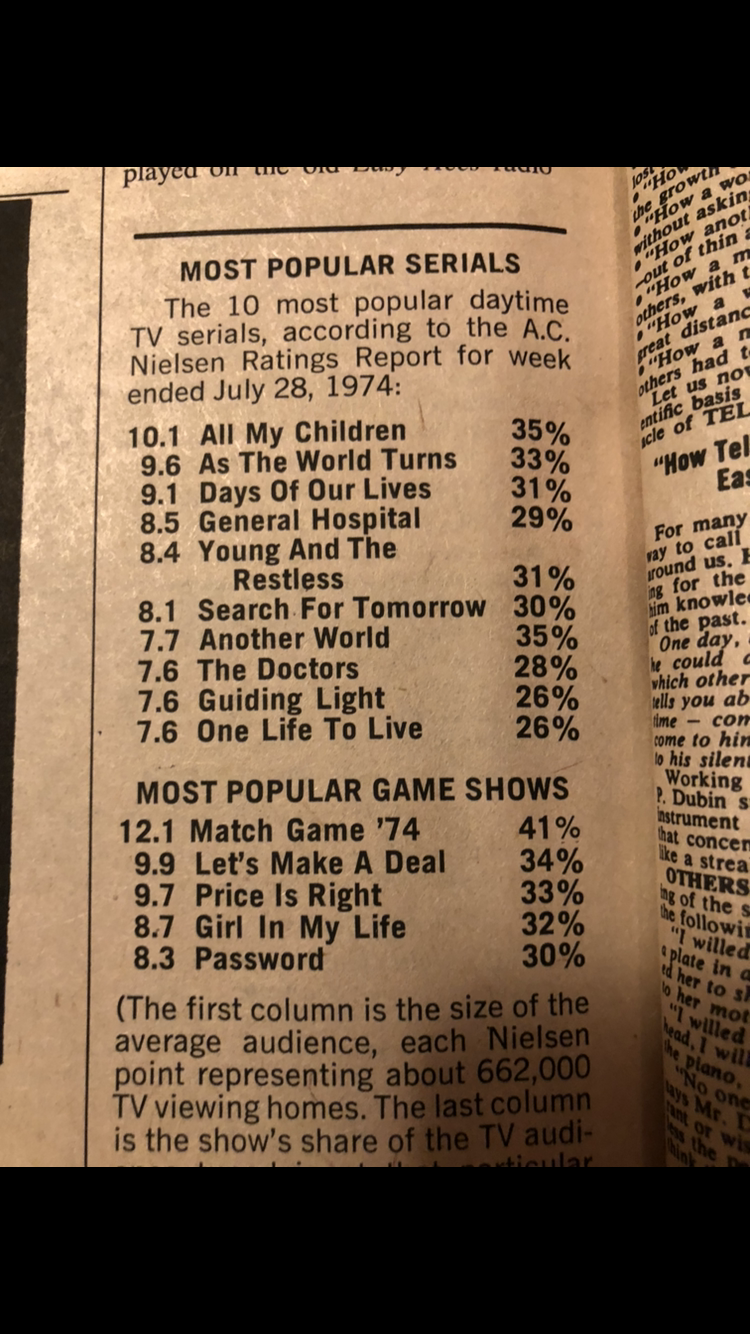
I will post more ratings. I just have to find the time. Just keep in mind that the ratings I post are from Daytime TV magazine and the month and year handwritten is the issue date, so most likely the ratings are from a few months earlier.


 A little bit of useless trivia here. Those May, 1989 church scenes where Phillip gets shot and Roger swings through the church were shot in Another World’s studio in Brooklyn instead of GL’s studio on East 44th Street. GL’s studio couldn't accommodate the high ceilings needed for Roger to swing down so GL went on location, so to speak to one of AW’s sound stages at its bigger studio.
Huge thank you@montyb
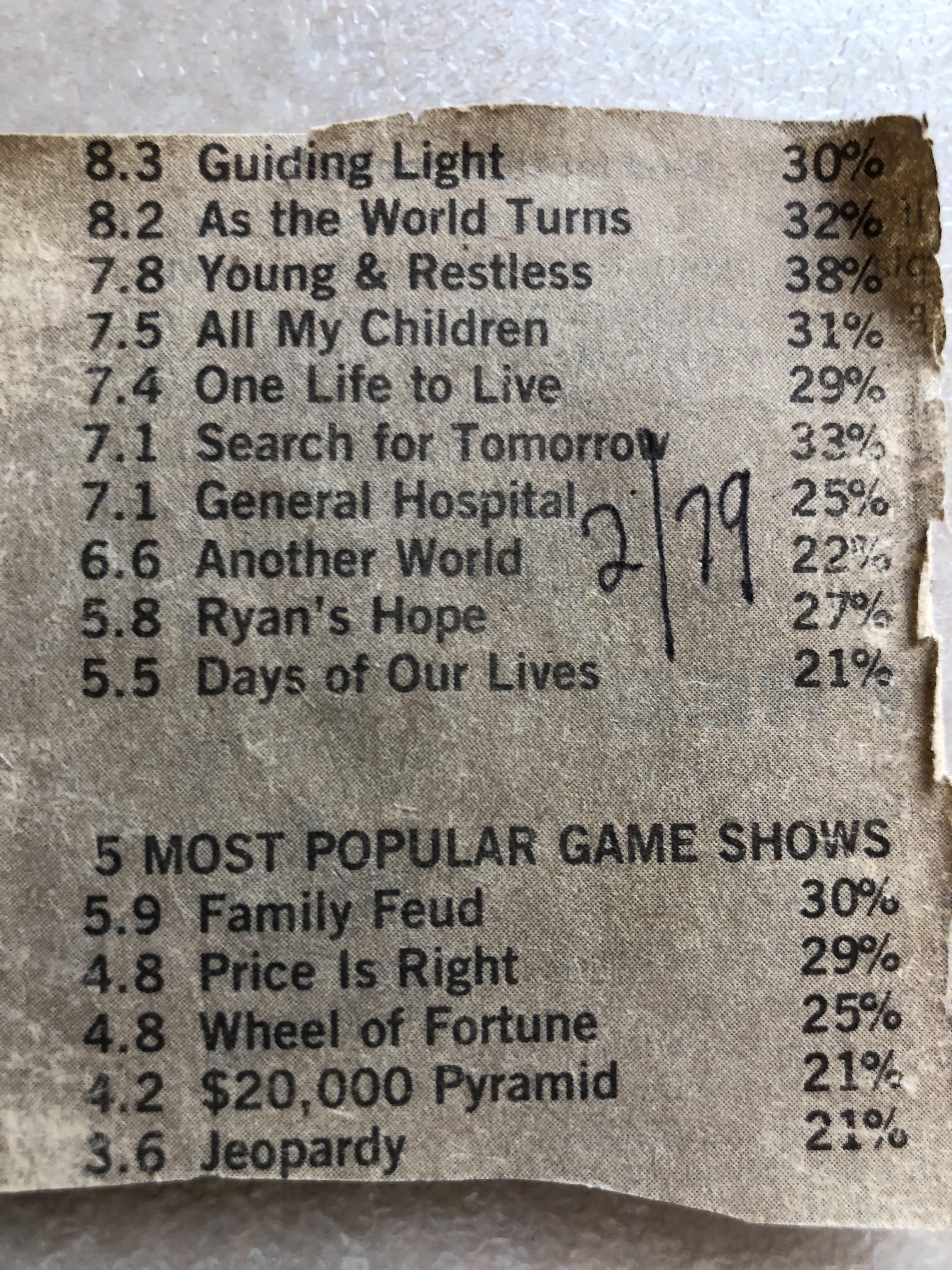
Daytime TV February 1979 so the ratings must have been from a couple months before that.
A little bit of useless trivia here. Those May, 1989 church scenes where Phillip gets shot and Roger swings through the church were shot in Another World’s studio in Brooklyn instead of GL’s studio on East 44th Street. GL’s studio couldn't accommodate the high ceilings needed for Roger to swing down so GL went on location, so to speak to one of AW’s sound stages at its bigger studio.
Huge thank you@montyb
Daytime TV February 1979 so the ratings must have been from a couple months before that. As far as I know, yes Daytime TV posted the ratings until its demise. There is ALOT more to come. I found a huge stash in my basement of old daytime tv’s and a newsletter from the 80’s and 90’s that published the ratings. Stay tuned.
Important Information
By using this site, you agree to our Terms of Use and Privacy Policy

Account
Navigation
Search
Configure browser push notifications
Chrome (Android)
- Tap the lock icon next to the address bar.
- Tap Permissions → Notifications.
- Adjust your preference.
Chrome (Desktop)
- Click the padlock icon in the address bar.
- Select Site settings.
- Find Notifications and adjust your preference.
Safari (iOS 16.4+)
- Ensure the site is installed via Add to Home Screen.
- Open Settings App → Notifications.
- Find your app name and adjust your preference.
Safari (macOS)
- Go to Safari → Preferences.
- Click the Websites tab.
- Select Notifications in the sidebar.
- Find this website and adjust your preference.
Edge (Android)
- Tap the lock icon next to the address bar.
- Tap Permissions.
- Find Notifications and adjust your preference.
Edge (Desktop)
- Click the padlock icon in the address bar.
- Click Permissions for this site.
- Find Notifications and adjust your preference.
Firefox (Android)
- Go to Settings → Site permissions.
- Tap Notifications.
- Find this site in the list and adjust your preference.
Firefox (Desktop)
- Open Firefox Settings.
- Search for Notifications.
- Find this site in the list and adjust your preference.