






Soapsuds
Member
-
Joined
Everything posted by Soapsuds
-
 As bored as I am with the three pimping... the women's is worse with all these no names making the French open finals and winning. Its obvious the media is bias towards the big 3. How many times do we have to hear it? And they wonder why the sport isn't attracting more viewers and growing.
 -
Tsitsipas is being trashed by some about this statement he made after the match...implying he did something
-
Ha! I knew they were going to cut it. They usually do 6 hour coverage on Sunday but today it was less than 5 hours. They are really trying to pimp Peacock. And tomorrow at (7) David Goffin VS Corentin Moutet - H2H Followed By R32 Jordan Thompson VS (WC) Daniel Altmaier - H2H Followed By R32 (Q) Ilya Ivashka VS (5) Roger Federer - H2H Not Before 3:00 Pm R32 Sebastian Korda VS (6) Roberto Bautista Agut Halle.... file_1f838h6ei160f1vro1t2m1tlu9vgcvgc
-
Again Tsitsipas loses a match up 2 sets to none.😂 So what happened with Tsisitpas? Supposedly he finally composed himself? He is pissed. Nice to see Mr Magoo upset too.😂
-
Omg... Tsisitpas is pissed...😂😂😂 Take that Mr magoo....
-
-
Has Novak ever been a fan favorite at a major final? The crowd is pro Tits.
What a shitty performance from Novak Tsitsipas wins the title and Rafa drops to #4 in the world.
You're up 6-5 and you serve that kind of shitty game? The Rafa curse is alive.
As much as I loath Novak I hope he wins for obvious reasons. And I'm sick of Tsisitpas and his family.😂
Seeing Novak fall on his face was priceless!😂
INNOVATORS & INFLUENCERS EAT & DRINK ARTS & ENTERTAINMENT STYLE & SHOPPING HOME & DESIGN EVENTS & PHOTOS THE MAGAZINE SUBSCRIBE TODAY Copyright © 2021 KC Media, All rights Reserved. Whatever Happened To: Allan Kayser, Bubba from Mama’s Family PEOPLE 1 DAY AGO Whatever Happened To: Allan Kayser, Bubba from Mama’s Family by MICHAEL MACKIE 00 Kayser in 1986 as Bubba Fresh out of high school, actor Allan Kayser left his Colorado roots behind and headed to Hollywood to make it big. He gave himself exactly two years to become a successful actor. “I worked really hard,” he says. “I had very specific goals—almost unattainable goals. I told myself I was going work my ass off for two years. Almost to the day two years later, I was cast on Mama’s Family.” From L To R: Ken Berry, Kayser, Dorothy Lyman and Vickie Lawrence in Mama’s Family The sitcom—which starred Vickie Lawrence as salty “Mama” Thelma Harper—had initially been canceled after two seasons on NBC. Kayser was cast in a 1986 reincarnated version which ran for four more seasons in first-run syndication. For 95 episodes, Kayser played the kind-hearted, dim-witted Bubba, the grandson of Harper. “Bubba was never on The Carol Burnett Show skits, but was always referred to as a juvenile delinquent,” says Kayser with a laugh. Success in movies followed—including the horror cult-favorite Night of the Creeps—and Kayser’s teen heartthrob status was firmly cemented—until it wasn’t. More on that in a minute. Today Kayser lives a quiet life outside Kansas City. And, yes, it’s near Raytown where Mama’s Family was fictionally set. The irony of where he lives isn’t lost on Kayser. We caught up with the actor to find out what life was like as an 80s sitcom star and what he’s doing now. Talk to me—how did you score the part of Bubba back in the day? Once I arrived in Los Angeles, I started putting myself out there and inadvertently met the right people along the way. My acting coach made a couple of calls and got me an agent and a manager. The ball started rolling and in 1986, after hundreds and hundreds of other auditions, I was up for the part of Bubba in Mama’s Family. I had four auditions for Mama’s Family and initially they did not want to see me. My manager Bud Robinson—a lifelong mentor to me—argued and argued to the casting director to bring me in. They didn’t want me because they thought I didn’t have the right look. They thought I looked too much like a leading man and they wanted a dorky farm boy-type. He fought hard to get me that first audition. I went in and I blew the casting director away. My first audition was basically the character you see on TV. I watched the Mama character and Carol Burnett’s Eunice character because I’m her son. In fact, I watched all those type of shows—HeeHaw, Green Acres—and studied that genre of acting. Kayser (L) and Lawrence (R) The second audition also went well and the third audition was with Vickie herself—and a whole panel of judges. There I am going toe-to-toe with Vickie Lawrence and the way she looked at me, I just knew I nailed it. Ugh—and then there was a fourth callback. They wanted to see me up against two other guys—including a famous actor from New York City. I was flipping out. I nearly talked myself out of getting the job. The fourth audition was one of the worst performances of my career. I froze, I couldn’t remember my lines, but somehow, I eked it out and managed to get the part. (Wow!) Yeah, I also screen-tested for The Young and the Restless. Don Diamont ended up getting that part. I was so heartbroken because I wanted to do a soap so badly. I was so poor at the time. [Laughs] And I watched him on the show out of sheer jealousy. He was amazing. His performance was amazing. He was perfect. He did something, like, 23 years on the show.” What do you remember about the Mama’s Family early on? “I was the new guy on the block and they wrote a lot of skits for me, stuff to chew on and work on. And then my character got whittled down. In the third and fourth season, I’m not so prevalent. Maybe the novelty of Bubba wore off? Personally, I was growing out of the character and that was hard. I did some great work on the last couple seasons, but very little screen time. Bubba was theoretically 17 when I started the show and he was in his early 20s when I left and trying to find himself. I will say they always let me run with and play with the character. There was a scene where Bubba came running back into kitchen for something and ran into the fridge. I hit it so hard the set actually shook. They called cut. That’s how full of energy I was. Landing a TV series, I was very focused. I worked very hard at being an actor. I was in class all the time, memorizing lines. I wanted to be a good actor and do something that would live on. And, guess what, Mama’s Family is still on the air.” Berry (L) and Kayser (R) I’m sure you have plenty of stories. “Yes, I still remember all the dialogue. Isn’t that weird? Ken Berry was always amazed I could remember everything years later. Speaking of Ken, the first time I drove on the studio lot, they directed me to the parking garage and there was a parking spot with my name on it. Next to me was a spot for Ken. All of us have grown up watching him. He was also great friend and mentor. It broke my heart when he passed away. He pulled in at the same time and I get out of my car and said, ‘Hey, Uncle Vint! How you doing?!” And he looked at me, like, who the eff are you? I said, ‘I’m your nephew—Bubba!’ After that we became best friends. The cast with special guest star Betty White as Aunt Ellen My favorite Betty White story? She came and did the show one week. She’s so amazing and hilarious. I love her so much. She would always say my name as ‘Buhhhhh-buh,’ in a low voice. I don’t think she knew my real name. She’d always ask, ‘Are you going to lunch with us Buhhhhh-buh?’” Lawrence (R) and Kayser (R) What was it like working with Vickie Lawrence? “Everybody loves Vickie Lawrence, but nobody gets how skilled and talented this woman really is. In one episode, the show was running 90 seconds light—they added a scene where Mama was making a dress. They wrote an entire monologue where she’s talking to the dress. She memorized the dialogue in, I swear, 20 seconds flat and we shot the scene. We were done on the dot at 9 p.m. on a Friday night. There was a Dirty Dancing-type episode that required singing and choreography. It was always fun for me to just sit back, watch and try to learn. To watch this woman perform these crazy acts—some of which seemed impossible—was amazing. She lobbied hard to bring Mama’s Family to METV. That’s a huge deal and she went to bat for all of us. Every once and awhile I get a residual check.” Was it just me—or did Bubba’s jeans get exponentially tighter every season? “Ha! Here’s a good Vickie story. When I first started the show, they had me dressed all crazy with discount store clothing, suspenders and, like, sleeveless sweater vests with reindeer on them. After maybe a half-dozen episodes, they wanted me to try a new wardrobe. I got to the set with all these new clothes and went right to Vickie because I thought it was a little weird. She said, ‘I did that! You look like a rodeo clown; all you need is a red nose. You’re a leading man, handsome—so Mama told the producers Bubba needed a new wardrobe.’ Mama started dressing me right. I always wore 501s and to this day it’s my pants of choice. I get comments about those jeans all the time, but there’s really not that much going down there. Maybe the camera adds, you know, 10 pounds? [Laughs] They weren’t that snug. Maybe they just fit right? 501s fit me perfectly. They’re comfy. And I’m not bragging here, but I’m still wearing the same size I did back then.” How did you end up back in KC? “I was doing a personal appearance here in Kansas City and I fell in love with a girl from Raytown. (You are making that up!) No, we commuted for a few years and at some point, we got married and had two amazing children. It was definitely a love story, but that ended 20 years ago. At the time, I was starring in the TV series. I have a fairly compulsive/addictive personality. I call it my ‘terrible twos’ – I was 22, with too much money and too much time on my hands. After I met that girl, I thought I’m going to move to the country! I’m not gonna stay in Los Angeles and become a broke actor or a caricature of myself. I got two great children and three grandsons out of the deal. Now, I’m married to Sara, the love of my life. She’s my dream girl. We got married seven years ago and now we have a pair of twin six-year-old boys. It’s a whole new ballgame. I’m sitting in the backyard right now watching them play in the inflatable swimming pool and it’s beautiful.” What are you doing now? “Man, I’ve had so many careers since then, so many lives since the show. I’m always asking, ‘Now what?’ I’ve worked on an assembly line, I filled vending machines. I worked at Gail’s Harley Davidson, now Gail’s PowerSports, for eight years. That’s been my favorite career since being a full-time actor. She’s my hero. I love Gail and we’re great friends. At some point though I had to cut bait because I had twins coming and I went and got a salaried job. Sales is a tough job, making commission is even tougher and I got burned out. I got signed up with the post office and now I’m a mail carrier and, surprisingly enough, I’m getting to be pretty good at it.” Kayser in the horror classic Night of the Creeps. Still get recognized? “I had the most autonomous TV career in the world and once a year—or three—I’ll get recognized. It’s funny, people don’t believe I was on TV in the 80s because now I live in Missouri. But, yeah, I get recognized once in a while because cosmetically I look still look like Bubba, you know, just 30 years older. I never want to walk into a new job and be all, ‘I was on TV!” I keep it under wraps. It took two years at my post office before it got out who I was—and then it blew up. My co-workers were like, ‘Why didn’t you tell us?!’ I never want to walk in and pat myself on the back and say, ‘I did this or that.’ I want to work, do my job, raise my twins and hopefully have a good retirement.” A zombie-fied Kayser as Brad in Night of the Creeps You’re pretty active on your fan page. Do you like going to conventions? “I love the cons. I did Crypticon eight years in a row. I have a convention coming up in September. I’ve missed the conventions and hanging out with the fans. Most are horror movie conventions because Night of the Creeps was a horror genre phenomenon. I get to double down because I was on Mama’s Family. People come out of the woodwork to see me if they’re fans of the sitcom. But, listen, I’m dying to get on Cameo and wish people Happy Birthday and stuff. Are you listening Cameo? I need a Cameo spot! I need to get on there. It would be wonderful to be able to speak to fans virtually.” Photo credit: Joel Overstreet/Street Photography Still acting? “I’m getting ready to do another independent film where it’s shot on a weekend. It will probably cost me money to be in it, but that’s what I do. [Laughs] But I enjoy being here obviously. I’ve been here since 1991. My lovely bride Sara is from Kansas and her folks live in Wichita. I ride my motorcycle everywhere. Great highways and bi-ways to ride on. It’s wonderful.” Final thoughts on Mama’s Family? “It’s one of those classic, timeless sitcoms. There were a lot of episodes on Mama’s Family where, if you listen to the script, it was insightful and provocative. There are so many shows out there like that. And there are messages and lessons to be gleaned from them. And this show is one of them. And it will go on. You’ll see an episode and it sends a good message.” Interview minimally edited for content and clarity. TAGS: ALLAN KAYSER, KEN BERRY, MAILMAN, MAMA'S FAMILY, MISSOURI, NBC, RAYTOWN, SYNDICATION, VICKIE LAWRENCE, WHATEVER HAPPENED TO You May Also Like Let’s Hit Up Sedalia: Home of The Missouri State Fair, The Hotel Bothwell, The Guberburger & More It’s Official—Whataburger Is Thisclose To Opening (Okay, This Fall.) What is Hawaiian Bros. and Why Are They Suddenly On Every Street Corner? ABOUT US ADVERTISE WITH US MAGAZINE SUBSCRIPTION DIGITAL MAGAZINE EDITION WEEKLY NEWSLETTER TERMS OF SERVICE AND PRIVACY POLICY Our site uses cookies. Learn more about our use of cookies: Cookie Policy ACCEPT
Ha..the diving tryouts are on tv...more steele
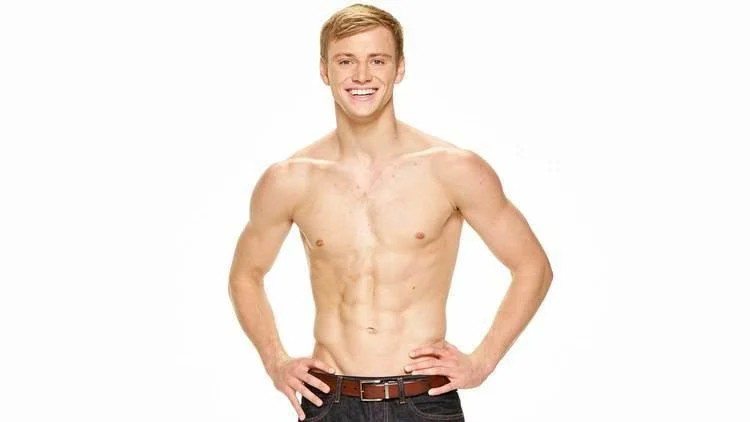 And since you brought up the Olympics... @AbcNbc247 Love me some Steele
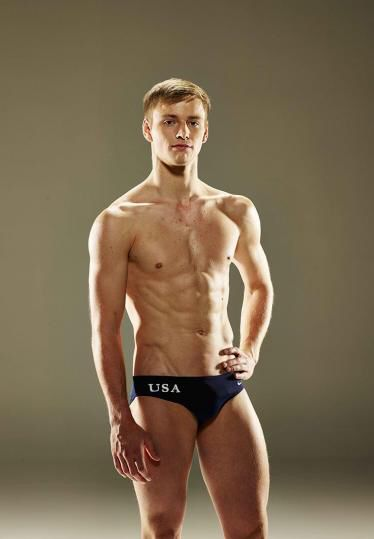 Tom is such a slut. I prefer his husband. How did he get him? He's already cheated on him and Dustin forgave him.
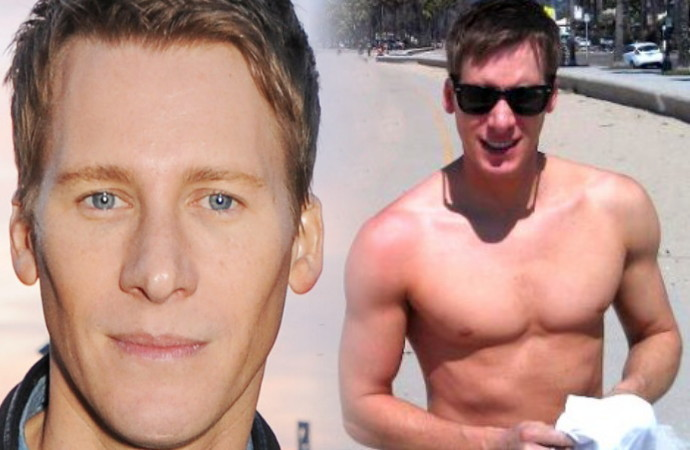 Haha. He's MIA.... Wonder if he got that job he was applying for?? And yes Chandler is.......



Important Information
By using this site, you agree to our Terms of Use and Privacy Policy

Account
Navigation
Search
Configure browser push notifications
Chrome (Android)
- Tap the lock icon next to the address bar.
- Tap Permissions → Notifications.
- Adjust your preference.
Chrome (Desktop)
- Click the padlock icon in the address bar.
- Select Site settings.
- Find Notifications and adjust your preference.
Safari (iOS 16.4+)
- Ensure the site is installed via Add to Home Screen.
- Open Settings App → Notifications.
- Find your app name and adjust your preference.
Safari (macOS)
- Go to Safari → Preferences.
- Click the Websites tab.
- Select Notifications in the sidebar.
- Find this website and adjust your preference.
Edge (Android)
- Tap the lock icon next to the address bar.
- Tap Permissions.
- Find Notifications and adjust your preference.
Edge (Desktop)
- Click the padlock icon in the address bar.
- Click Permissions for this site.
- Find Notifications and adjust your preference.
Firefox (Android)
- Go to Settings → Site permissions.
- Tap Notifications.
- Find this site in the list and adjust your preference.
Firefox (Desktop)
- Open Firefox Settings.
- Search for Notifications.
- Find this site in the list and adjust your preference.