Well... how dare Brad Bell awake me from my temporary SON retirement (too much work and no time to play)... I can't believe I'm actually saying this... but the last three weeks have been an absolute blast (binge-watched them in 2 days). I almost feel the urge to slip into a male nurse outfit and surprise my husband.😂 Seriously, I haven't enjoyed the show this much in a decade! Kimberlin Brown and Rebecca Budig (my biggest surprise of 2026) have such fantastic chemistry for a FEUD, chile. Thank God they didn't continue with the Brooke thing and switched gears, before it was too late for Budig. Now she is SHINING! Now I'm seeing what other people were telling me about her. If they kept on pushing her against Brooke... she would have been gone by now. Brooke is like a cancer to characters that are paired against her and ARE not Stephanie or OG Taylor.
Bradley, darling... you really need to invest more into this because it could turn into a massive rivalry - something that can keep us FED for years. I'm giving props to @Taoboi who was the first to see the potential in this storyline months ago. I honestly thought it was just something fast and cheap to give the actors some screentime... that wouldn't go anywhere... but SURPRISE SURPRISE. It's still not Lauren/Sheila level yet (probably never will be)... but it's GOOD. Of course... I don't expect it to last because it's Bold, and they haven't managed to keep up sustained entertainment in years... BUT ever since the March 26/27 episodes, the show has been on fire.
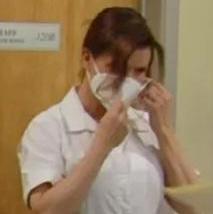
Overall - 7/10. Bold shines when they don't take themselves seriously, and there's a wink in almost every scene. That's a show that should never in their current writing team... attempt storylines about sickness/death or anything THAT deep. They should keep it to sex scandals, cheating, revenge, feuds and wars and of course light camp. That's how I saw the moment with "I thought she was being violated" and "I didn't know you were having ME time, Taylor." I also nearly screamed when Sheila graphically told Budig's Taylor how Deacon made her rethink her flexibility during SEX. This TMI disturbing yet hilarious Sheila is SOOOOO 1990s and absolutely brilliant, and Kimberlin is killing it. It was about time they gave her something playful like this. Also hearing that classic 1990s theme music popping up while Sheila is slowly losing it... that's the perfect nostalgic nod to the OG fans. I got chills when she spotted the shoes and the OG Bold music kicked in. And then... it was like the Joker was finally slipping back into costume - the nurse outfit! AAAAAAAAAAAAAAAH. I want this to continue with more beats and moments like this... Please don't make them fight each other on the ground YET. We need more build up. Don't lose that opportunity, Bell.
So, yeah, Brad, this is how you do it, and I'm giving you applause for it. It's not like this is a 10/10 soap... but it's SOOOOO entertaining and way better than what we've been getting for the last six years. It's almost like I'm watching The Bold And The Beautiful again. Plus, the Logan sisters feud... and the younger characters aren't as annoying lately - Deke is definitely a rising star - great face, great voice, charisma. RJ - not so convinced - so far I'm disliking him. Add those gorgeous visuals and the boost in quality... and you've got a show that's UNSTOPPABLE. Seriously, Brad... keep this up and keep the FUN... we don't need to go back to the BORING and BASIC. DON'T DARE DISAPPOINT ME NEXT WEEK or the week after that.
So yes... hell has frozen over because I'm actually giving props to Brad Bell's team and this wicked silly show. I doubt I'll ever have this much nice to say about them in the coming decades. This is a once... in... a... lifetime moment.
P.S. It's nice seeing that dump Il Giardino looking better than ever and Sheila looking as reformed and normal as possible while TayHo is undressing her husband - a serial killer acting as a hostess and asking people if their pasta is okay... while her life is about to shatter. YAAAAAAAAAS. Also... the great camera work makes the show have a primetime feel and it's a great background for Sheila's spiral into darkness. We are seeing the LIGHT and the DARK at the same time and I'm here for it. Again this is not a 10/10 show, but for THEIR standards it's definitely approaching AS GOOD AS CAN BE.
By
Maxim ·






Join the conversation
You can post now and register later. If you have an account, sign in now to post with your account.