




Jump to content
View in the app

A better way to browse. Learn more.

Soap Opera Network Community

A full-screen app on your home screen with push notifications, badges and more.

To install this app on iOS and iPadOS
  1. Tap the Share icon in Safari
  2. Scroll the menu and tap Add to Home Screen.
  3. Tap Add in the top-right corner.
To install this app on Android
  1. Tap the 3-dot menu (⋮) in the top-right corner of the browser.
  2. Tap Add to Home screen or Install app.
  3. Confirm by tapping Install.

Don't miss a moment of Episode 71 which serves as the finale of the summer drama.

Followed by the concluding Episode 72 which will lead Springfield into the fall.

And brace yourself for the FTL Movie coming this fall!
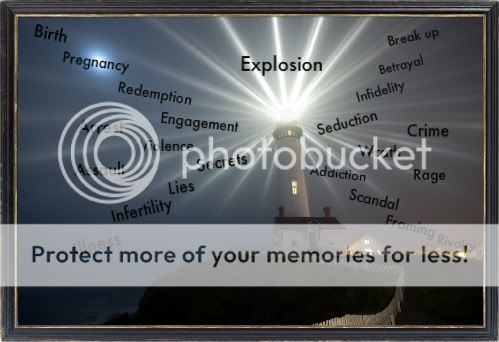
movie-2.jpg

Birth

Pregnancy

Redemption

Engagement

Seduction

Infidelity

Betrayal

Breakup

Secrets

Lies

Infertility

Illness

Addiction

Scandal

Framing

Rivalry

Wrath

Rage

Violence

Assault

Crime

Arrest

Explosion

Will all fall on Springfield...

Don't miss a moment of Springfield this fall...

Only on Finding the Light!!!

Welcome to Springfield

0 Comments

Recommended Comments

There are no comments to display.

Guest
Unfortunately, your content contains terms that we do not allow. Please edit your content to remove the highlighted words below.
Add a comment...

Important Information

By using this site, you agree to our Terms of Use and Privacy Policy

Configure browser push notifications

Chrome (Android)
  1. Tap the lock icon next to the address bar.
  2. Tap Permissions → Notifications.
  3. Adjust your preference.
Chrome (Desktop)
  1. Click the padlock icon in the address bar.
  2. Select Site settings.
  3. Find Notifications and adjust your preference.