




Two REARDON Homecomings!

By Josh
· 1,723 views
Two Special HOMECOMINGS!

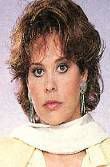
Maeve Kinkead & Lisa Brown
Two very special homecomings are finally set in stone! "It went sort of down to the wire but we were able to pull it off." Shares executive producer Josh Hawkins who confirms that Lisa Brown (Nola) and Maeve Kinkead (Vanessa) will reprise their famous roles as Vanessa Chamberlain Reardon and Nola Reardon Chamberlain respectively later this week.
"Josh and I have crafted a beautiful episode that will honor Maureen on the anniversary of her death." Shared co-head writer Dan Gobble. "This is what "IN the LIGHT" episodes should be about!" He continued.
It is because of that special episode, airing on Thursday, January 11, the day Maureen died that Brown and Kinkead will have their first appearances on the blog.
Brown's stint is only for two days and she'll be sharing scenes with Peter Simon (Ed) and Christie Clark (Michelle). However insiders are hinting that Kinkead has recieved a special recurring contract to appear from time to time as storyline requires. "Maeve has ties to Springfield and we'll be seeing her throughout 2007." Shared Hawkins.
So why is Kinkead in and Brown out, so to speak. "The character of Nola is awesome! Lisa Brown is a gem! But there is just no room for the character at this time." Shared Hawkins.
Look for Brown and Kinkead to arrive on January 11, 2007 as we REMEMBER MAUREEN!

Recommended Comments