




The Guiding Light: SONBC Award Nominations

By Josh
· 980 views
THE GUIDING LIGHT RECIEVES NINE NOMINATIONS
STILLWATER, OK - After a two month wait the SONBC Award nominees for the 1st Annual ceremony have been announced.
Outstanding Leading Male Character

Outstanding Leading Female Character

Outstanding Supporting Male Character
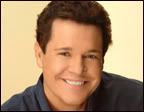
Outstanding Supporting Female Character
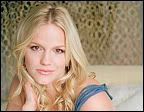
Outstanding Younger Female Character

Outstanding Storyline

Outstanding Drama Series
- Joshua Lewis represented by Robert Newman
Outstanding Leading Female Character
- Beth Raines Spaulding represented by Beth Chamberlin
Outstanding Supporting Male Character
- Dr. Rick Bauer represented by Michael O'Leary
Outstanding Supporting Female Character
- Marah Lewis represented by Alexa Havins
Outstanding Younger Female Character
- Lizzie Spaulding represented by Marcy Rylan
Outstanding Storyline
- Reva's Stalker Revealed & Tony's death
Outstanding Drama Series
- Executive Producer: Josh Hawkins
- Co-Head Writers: Dan Gobble, Josh Hawkins
- Storyline Consultant: Michael Allen
<BR>
The SONBC blog award winners will be announced on May 21st. For a complete list of all the blog nominees visit the post. We congratulate all the blogs who have been nominated and to the pre-nomination committee for their efforts.

Recommended Comments