




Rachel Melvin & Kelli Goss OUT at TAT!
· 1,228 views

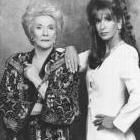
Many casting changes are coming to There's Always Tomorrow. The first two casualties in a cast shakeup for the series are Rachel Melvin and Kelli Goss. The two actresses are original cast members of the almost year old soap opera and play Amy Whitmore and Mimi Andrews-Whitmore respectfully. The show announced today that this would be the last season the two actresses would appear in and that there characters would exit after their current storyline wraps.
When asked about the double exits, the show released this statement:
We have been honored to have Rachel and Kelli apart of our cast. Their love and light for the soap opera genre and this show shine through each and everyday they are on set. We love the characters of Amy and Mimi. In the coming months, the couple will be tested to their breaking point. But, readers will get to see how a couples bond is unbreakable. Furthermore, don't expect Amy and Mimi to be gone forever. After all, 'There's Always Tomorrow'.
Kelli Goss previously starred on CBS' The Young and the Restless. And, Rachel Melvin is best known to television audiences as the former Chelsea Brady on NBC's Days of Our Lives.

Recommended Comments